6 Best KeepVid Alternatives in 2026 (Free & Safe Sites Tested)
 Ashley Wood
- 28 September, 2026
- Blog
Looking for a reliable KeepVid alternative in 2026? You’re not alone. Since KeepVid stopped working the way many users expected, finding a tool that can still download YouTube videos and MP3 audio safely and reliably has become more difficult.
In this guide, I’ll compare the 6 best KeepVid alternatives that still work in 2026, including desktop software, online downloaders, and open-source tools, to help you find the right option for your needs.
Disclaimer: Please respect YouTube copyright - downloaded content is only for your personal offline use.
Quick Comparison: Which KeepVid Alternative Is Best for You?
| Tool | Type | Free | Format | Best Quality | Supported Platform | Batch Download | Built-in Browser | Ad-Free | Supported OS | Best For |
|---|---|---|---|---|---|---|---|---|---|---|
| 👍 FlixiCam StreamOne | Desktop | ✔️ Free for YouTube | MP4 / MKV / MP3 / M4A / SRT / VTT | Up to 8K / 320kbps | 1000+ sites | ✔️ | ✔️ | ✔️ | Win / Mac | Streaming downloads |
| Any Video Converter Free | Desktop | ✔️ Free | MP3 / FLAC / WAV / MP4 / OGG / OPUS | Up to 4K / 320kbps | YouTube + major platforms | ✔️ | ❌ | ✔️ | Win / Mac | Audio extraction |
| YouTube-dl | CLI | ✔️ Free | MP4 / MP3 / AAC | Up to 1080p | 1000+ sites | ✔️ | ❌ | ✔️ | Win / Mac / Linux | Advanced users |
| Savefrom.net | Online | ✔️ Free | MP4 / MP3 / WEBM / 3GP | Up to 1080p | YouTube / Facebook / TikTok | ❌ | ✔️ | ❌ | Web / Android / iOS | Quick downloads |
| YTMP3 | Online | ✔️ Free | MP3 / MP4 | 320kbps / 1080p | YouTube only | ❌ | ✔️ | ❌ | Web / Mobile | MP3 conversion |
| Y2Mate | Online | ✔️ Free | MP4 / MP3 | 1080p / 128kbps | YouTube + limited sites | ❌ | ✔️ | ❌ | Web / Mobile | Casual downloads |
Part 1. Best Desktop KeepVid Alternatives (Our Top Pick)
1. FlixiCam StreamOne
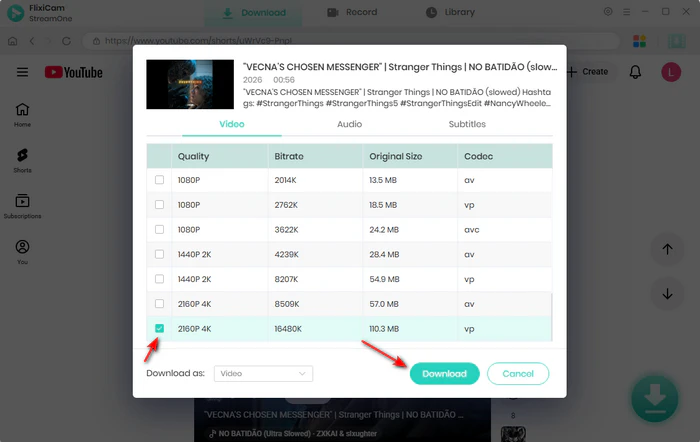
FlixiCam StreamOne is a desktop downloader that I found surprisingly capable when looking for a KeepVid alternative. Unlike many web-based tools, it supports downloading both videos and audio from sites like YouTube and Facebook, with output quality reaching up to 8K resolution and 320kbps audio. In my experience, downloads were stable, and exporting videos as MP4 or audio as MP3 was straightforward.
The software says it supports 1,000+ websites, and after testing it myself, I found it handled many of the streaming platforms I regularly use. I was able to batch download movies and TV shows from Netflix, Amazon Prime Video, Disney+, and Crunchyroll into formats like MP4 and MKV, which feels much more flexible than most online downloaders.
 DOWNLOAD WIN
 DOWNLOAD MAC
✅ Pros
- Supports YouTube video downloads in up to 8K quality
- Supports downloading YouTube content in multiple formats, including MP3, M4A, and WebM
- Supports 1000+ video and music platforms.
- Provides a clean experience with no ads or pop-ups.
🔴 Cons
- Only available on Windows/Mac, no mobile support.
Based on user feedback on Trustpilot, FlixiCam StreamOne is generally described as a reliable and easy-to-use tool for video downloading and streaming-related use cases. They also highlighted useful features such as personalized recommendations, ad-free experience, and an offline download option. Another review described it as a straightforward and efficient downloader with a clear UI, fast processing speed, and support for multiple output formats, making it suitable even for beginners. (Source: Trustpilot, paraphrased user reviews)
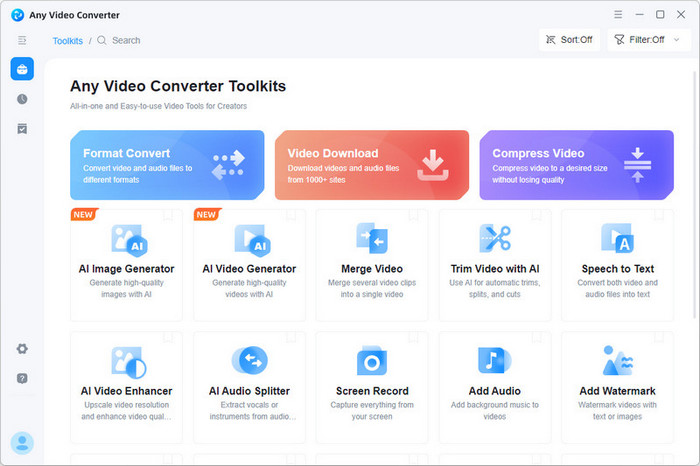
2. Any Video Converter Free
Any Video Converter Free is one of the more versatile YouTube downloaders I found during testing. I use it to convert video formats, extract audio, and save files in formats like MP3, OGG, OPUS, FLAC, and WAV.
What I particularly liked was its smooth download performance — even when downloading videos in the best available quality, the processing speed felt fast enough for a free tool. Another thing I found useful is its batch download feature. I simply pasted multiple YouTube links into the address bar, and the app automatically started processing them, which saved quite a bit of time compared to downloading videos one by one.
Download Win
Download Mac
✅ Pros
- Supports extracting YouTube audio and converting it into MP3, M4A, FLAC, OGG, OPUS, and WAV.
- Download YouTube videos in up to 4K.
- Download YouTube audios in up to 320kbps.
- Supports batch processing for converting multiple YouTube files at once.
🔴 Cons
- No direct audio-only download function.
- Software installation is required.
- No specific video quality options are available, such as 1080p or 720p.
Based on user feedback on Trustpilot, some users who compared multiple video tools noted that Any Video Converter Free is not the fastest option, but it stands out as a well-rounded and reliable tool. They highlight its support for HEVC, GPU acceleration, and video downsizing, as well as its availability as a free product. (Source: Trustpilot, paraphrased user reviews)
How to Rip Music from YouTube: 6 Free & Easy Methods (2026)
Want to rip music from YouTube easily? Discover 6 free and working methods in 2026 to download YouTube music in MP3, M4A, WAV, and more. Learn More > >
Part 2. Best Open-Source Command-Line KeepVid Alternative
YouTube-dl
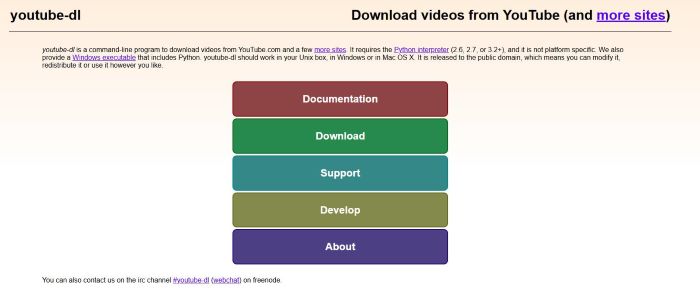
YouTube-dl is a free and open-source command-line tool for downloading and converting YouTube videos, offering advanced control for users who prefer flexible, script-based workflows over simple GUI applications.
In actual use, the download speed was very fast, especially for batch tasks. Because it runs through the command line, it also allows scripting, which makes large-scale playlist downloading much more efficient. It also supports exporting content in both MP3 audio format and MP4 video format, depending on how the output is configured.
However, when downloading MP4 videos from YouTube-based sources, the maximum quality is often limited (up to 1080p) due to codec combinations such as H.264/AVC for video and AAC for audio, which may result in larger file sizes or reduced quality efficiency compared to direct source formats.
✅ Pros
- Supports extracting YouTube video and audio into formats like MP4, MP3, and AAC.
- Offers batch downloads and playlist support for processing multiple videos.
- Highly customizable with command-line options and automation support.
🔴 Cons
- No graphical interface — command-line knowledge is required.
- Installation and setup is very difficult for beginners.
- Some features may require FFmpeg installation.
- No built-in quality selector like 1080p or 720p buttons.
Reddit users often describe YouTube-dl as a powerful but technical tool. While beginners sometimes struggle with the command-line setup and FFmpeg requirements, many experienced users say the flexibility, format control, and playlist downloading features make it worth the learning curve. (Source: Reddit, paraphrased user discussions)
Part 3. Best Online KeepVid Alternatives
1. Savefrom.net
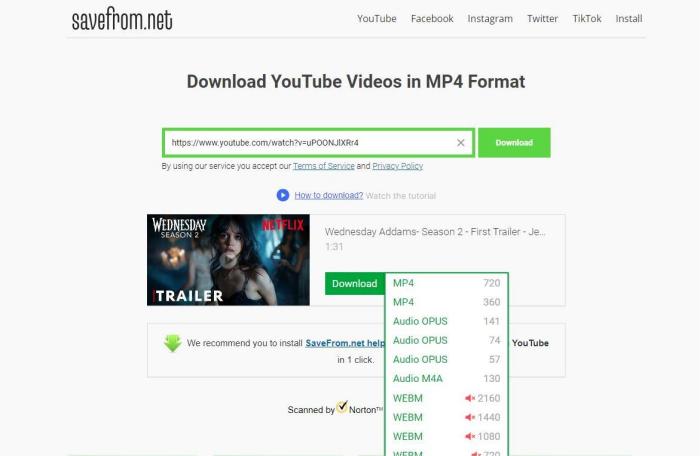
Savefrom.net is an online YouTube to MP4 converter I tested while comparing different free download tools. While the setup is simple — just paste a video URL — the processing process can take some time, especially for larger videos. During testing, I also noticed occasional redirects to other pages, which made the experience feel less seamless.
It supports multiple output formats, including MP4, WEBM, MP3, and 3GP, with video quality options ranging from 144p to 1080p. Besides YouTube, I was also able to use it for downloading videos and audio from platforms like Facebook, Instagram, and TikTok. However, there are some limitations. I found that 1080p MP4 downloads and MP3 audio conversion often require installing the desktop version, rather than being fully available in the browser version.
✅ Pros
- Supports downloading videos and audio in formats like MP4, MP3, WEBM, and 3GP.
- Works with multiple platforms.
- Compatible with Windows, macOS, Linux, Android, and iOS.
🔴 Cons
- 1080p MP4 downloads and MP3 conversion require installation.
- Processing can sometimes feel slow for larger videos.
- Redirect users to other pages before downloading.
- No batch download or playlist support.
Based on discussions across Reddit and review sites, users generally see Savefrom.net as a convenient tool for quick, one-time downloads because it works directly in the browser without installation. Many people like how easy it is to paste a link and download videos from platforms like YouTube or Facebook. However, a common complaint is the presence of pop-ups, redirects, and inconsistent download quality, especially for higher resolutions like 1080p. (Source: Reddit discussions and user reviews, summarized and paraphrased)
2. YTMP3
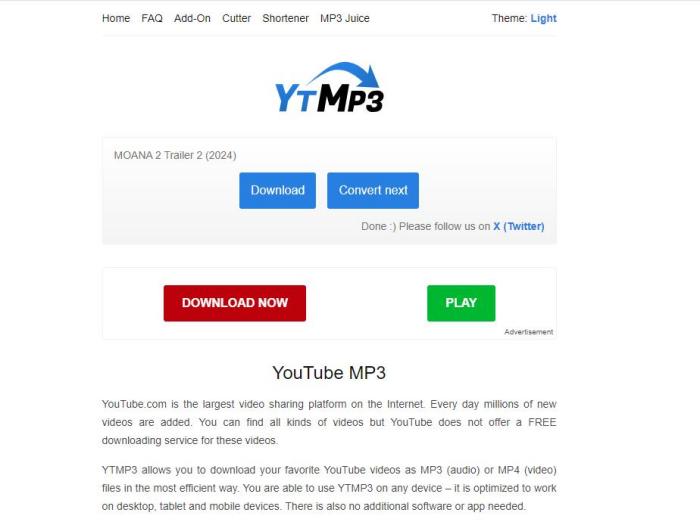
YTMP3 is usually one of the first online tools I try when I need to download videos or music from YouTube. Since it is a completely free web-based tool, there is no installation required, which makes it convenient for quick downloads.
YTMP3 provides multiple bitrate and audio quality options, while also displaying the estimated file size next to each choice. This made it easier for me to decide between faster downloads or better sound quality. During testing, the conversion speed felt fairly quick for shorter videos, and audio quality could reach up to 320kbps.
✅ Pros
- Supports multiple audio bitrate options up to 320kbps.
- Displays the estimated file size before downloading.
- Supports both MP3 audio and MP4 video conversion from YouTube.
- Completely free and browser-based.
🔴 Cons
- No playlist or batch download support for multiple videos.
- Contain ads, redirects, and pop-ups during the download process.
- Less stable than desktop downloaders during repeated downloads.
Reddit users often describe YTMP3 as a quick and convenient tool for converting YouTube videos into MP3 without installation. While many appreciate its simplicity and fast conversions, others mention concerns about ads, redirects, and fake clone sites, especially when downloading frequently. (Source: Reddit and user reviews, summarized and paraphrased)
Is YTMP3 Safe? Safer YTMP3 Alternatives I Tested in 2026
Is YTMP3 safe? To help you find a safer option, we tested the best YTMP3 alternatives in 2026, comparing their safety, ads, and download quality. Learn More > >
3. Y2mate
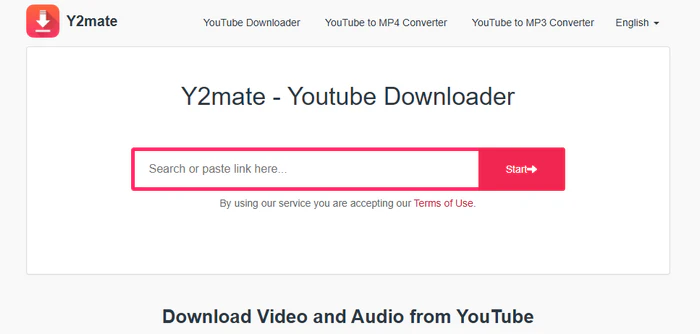
I’ve used Y2Mate for both video and audio downloads from YouTube for about 3 weeks, and during that time, I downloaded more than 120 videos and around 50 audio tracks. Since it runs directly in a browser, I found it very convenient, especially when switching between my laptop and phone.
For videos, I was able to save content in resolutions ranging from 360p up to 1080p, while audio downloads were usually available in MP3 format. The download speed was acceptable for casual use—most 5 to 10-minute videos took around 1–3 minutes to finish. However, I noticed the default quality is usually around 128kbps, which may not be ideal.
✅ Pros
- Works on Chrome, Firefox, Safari, Edge, and mobile devices.
- Supports multiple resolutions up to 1080p.
- Free KeepVid alternative with no sign-up required.
🔴 Cons
- Audio quality is usually limited to 128kbps.
- Occasional downloadfailed conversions.
- Contain many ads and pop-ups.
- No support forplaylist or batch downloads.
Based on Reddit discussions, users generally see Y2Mate as a quick and easy option for casual YouTube downloads. While many like that it’s free and works directly in a browser, others warn about annoying ads, redirects, and occasional download failures, especially when using unofficial mirror sites. (Source: Reddit and public user reviews, summarized and paraphrased)
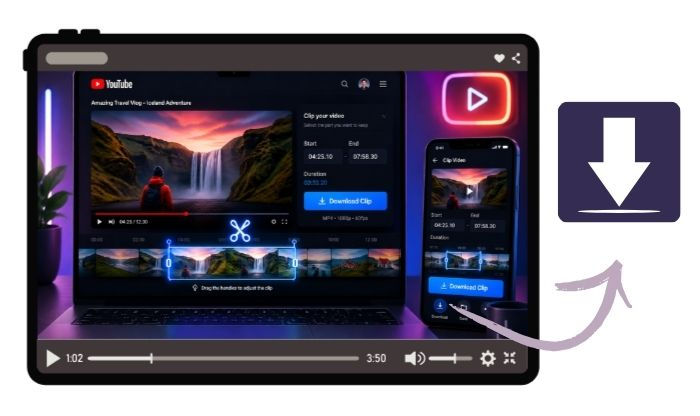
Free Download Part of YouTube Video - 100% Working
Want to just download a clip from a YouTube video? Get online YouTube trimmers, YouTube's Clip feature, and FlixiCam YouTube Clip Downloader here. Learn More > >
FAQs about KeepVid Alternatives
Is KeepVid still working?
No, the original KeepVid website is no longer functioning as it used to. KeepVid officially stopped offering YouTube video downloads several years ago due to copyright and platform policy changes. While some websites still use the “KeepVid” name, many are unofficial clones with different features, reliability, and safety levels.
FlixiCam allows downloading YouTube content in MP3, MP4, MKV, and M4A format for free. If you want to download YouTube for offline playback, this ad-free YouTube downloader is perfect for you.
DOWNLOAD WIN
DOWNLOAD MAC
Is KeepVid safe?
It depends on which version you are using. The original KeepVid was widely used in the past, but many unofficial KeepVid mirror sites now exist online. Some users report issues such as pop-up ads, redirects, misleading download buttons, or suspicious domains. To stay safe, avoid unknown clone websites, double-check URLs, and consider using reputable desktop software or well-known download tools instead.
Are there free KeepVid alternatives?
Yes, there are many free KeepVid alternatives available in 2026. Depending on your needs, you can choose from online downloaders, desktop software, or open-source tools. FlixiCam is one of the free KeepVid alternatives that offers better stability, higher quality downloads, batch support, and more format options.
Top 5 Safe Websites to Free Download YouTube to MP3
This passage has listed the top 5 websites where you can safely download YouTube into MP3 for free. Learn More > >
The End
Finding the best KeepVid alternative depends on what you need. If you just want a quick and free browser-based downloader, tools like YTMP3 or Y2Mate may be enough for occasional use. If you prefer more control, batch downloads, or advanced customization, YouTube-dl is a powerful open-source option.
However, if download quality, stability, and multi-platform support matter most, a desktop downloader for PC and Mac like FlixiCam StreamOne may be the better long-term choice — especially for users who want higher-quality video, audio extraction, and streaming downloads without ads or pop-ups.

The Best Tool to Convert YouTube Music
Want to enjoy your YouTube Music for offline playback? TuneMobie Music Converter is definitely worth a try. This tool can convert music from 17+ platforms (Spotify, Apple Music, YouTube Music, Amazon Music, etc.) to universal formats (MP3, M4A, FLAC, etc.) with original sound quality and complete ID3 tags kept. Learn More >>
📢 Disclaimer
All tutorials here are for personal entertainment & education only. Please ensure you have a valid legal account on the relevant platforms. We do not support commercial distribution or piracy — always respect content creators' copyrights.
Ashley Wood | Senior Writer