Record Videos Up to 8x Faster Than Real-Time
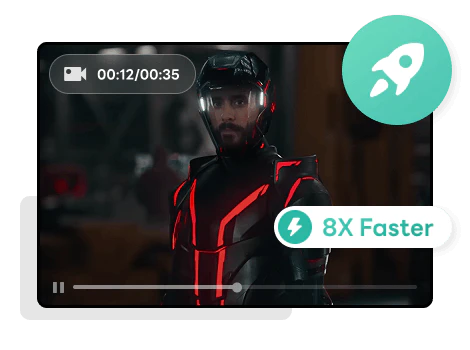
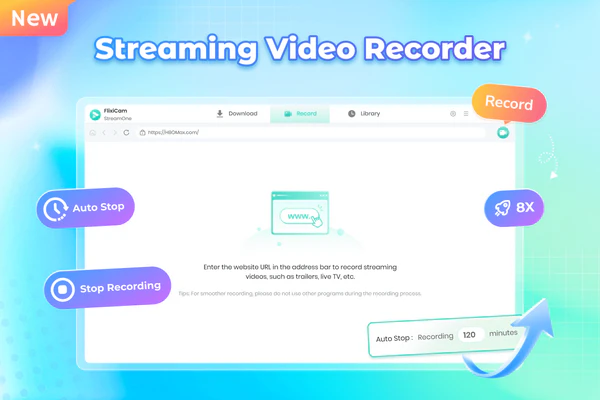
FlixiCam Streaming Video Recorder saves you a lot of time by recording videos at up to 8x faster than normal playback speed. You don't have to wait the full length of a video to save it, FlixiCam finishes recording much quicker, even for long shows or movies.
For example, if you're recording a 1-hour episode, it will only take about 7 minutes to finish. This fast speed is especially convenient when you need to save multiple videos. You can start the recording, do other things, and come back to find your recorded video fully saved and ready to watch.
Capture Any Stream: Live, VOD, Highlights & More
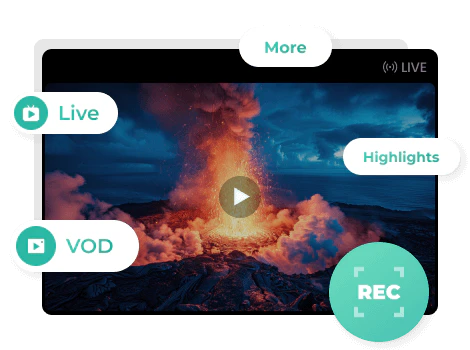
FlixiCam recorder captures almost any streaming video you can find online. Whether it’s streaming services like popular shows on Netflix, Hulu, or Prime Video, real-time live events such as concerts, sports games, or breaking news broadcasts, or short highlights and clips like game-winning plays, viral moments, or episode recaps — FlixiCam records everything smoothly.
It supports a wide range of categories and works no matter what kind of stream you want to save. From full-length movies to quick behind-the-scenes footage, any video that plays in your browser can be recorded directly with FlixiCam.
Record 1080p Videos in MP4 with the Built-in Browser
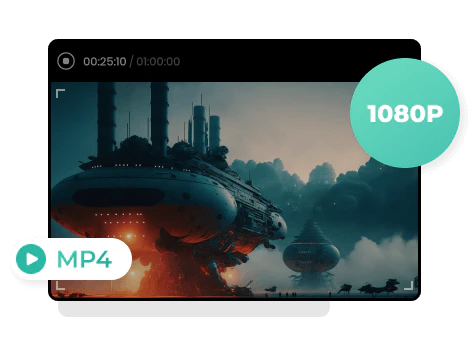
FlixiCam lets you record high-quality 1080p videos using its own built-in browser, so you don't need to switch between multiple apps. Just open the video you want to record right inside the program, hit the record button, and it will capture the video smoothly without any extra steps.
Your recordings will be saved as MP4 files. These formats work on most devices like phones, tablets, TVs, and computers, so you can watch your recorded videos anywhere you want, without worrying about compatibility issues.

Set It and Forget It: Auto-Stop Recording
FlixiCam recorder allows you to set a recording duration to stop automatically, so you don't have to sit in front of your computer and control it manually. Just set how long you want to record, save the settings, and FlixiCam will do all the work by itself.
This feature is perfect for people who can't watch live, like late-night shows or early-morning sports games. You won't miss any part of the video, and you won't waste storage space by recording extra time or footage you don't need.
Smart Recording: Control Playback & Skip Ads
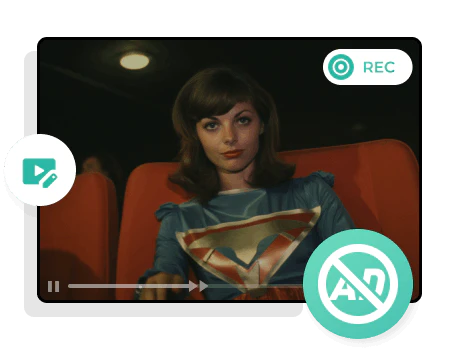
The smart recording feature lets you fully control playback during recording using the built-in browser. If you want to skip a certain part, you can simply drag the progress bar forward — no need to stop and restart the recording. You can also manually skip ads at any time, keeping your video clean and uninterrupted.
Unlike many other video recorders on the market, FlixiCam lets you record continuously even when switching between videos. All your manual actions, like skipping scenes or changing videos, will not be recorded into the final file. This way, you get a smooth, complete video without extra interruptions or unwanted footage.
More Features to Improve Your Video Recording Experience
1. One-Click Format Conversion
Recorded videos are converted to popular formats like MP4 within the program, so you can transfer and play your recordings on any device.
2. Preset Duration
You can preset the recording duration in advance. Once the recording reaches the time you set, it will automatically stop and save the video file without manual operation.
3. Reliable Support
Our dependable support team is always on hand to assist you with any questions or concerns, providing timely solutions to improve your recording experience.
How it works
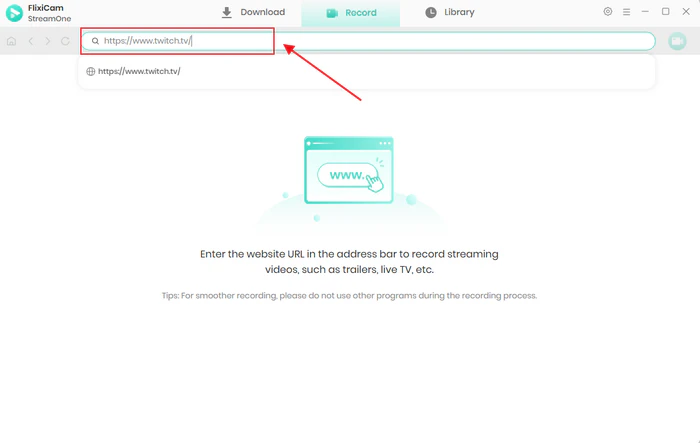
- Step 1, Enter the URL of the website into the address bar.
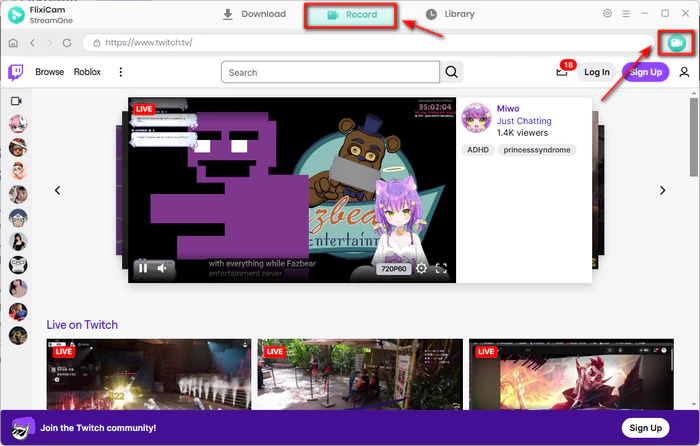
- Step 2, Stream the video you want to record.
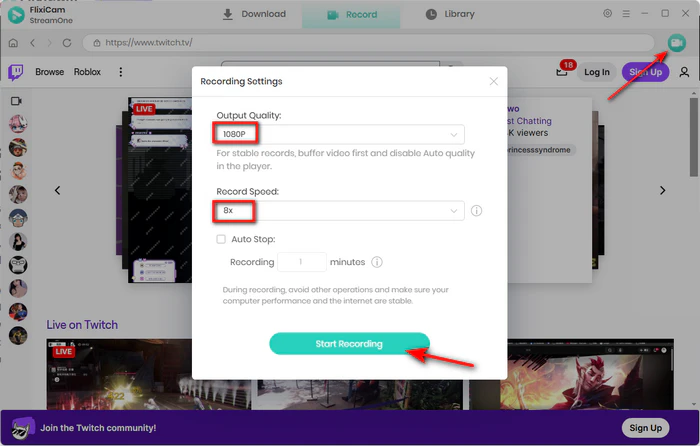
- Step 3, Click the record icon and set a timer if needed.
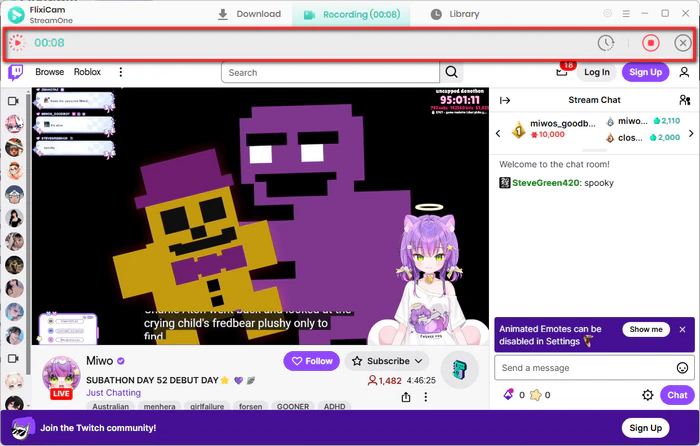
- Step 4, Click the stop button to save your video.
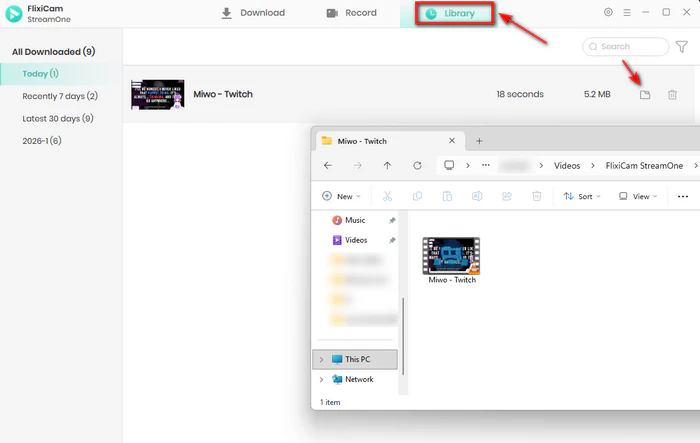
- Step 5, Locate video files in Library tab or output folder.
Major Updates from FlixiCam in 2026
-
Feb 2026 Latest
Enhanced Video Recording Function
Enjoy 8X faster recording speed in stunning 1080p HD quality.
Learn More >> -
Nov 2025
New Audio-Only Mode
Need just the sound? Directly Export to MP3 format with high fidelity.
-
Aug 2025
Expanded Platform Support
Compatible with YouTube Movies & Disney+ Hotstar.
What Our Users Say
I’ve tried lots of video recording tools, but none work as well as this streaming video recorder. Other programs usually lag or skip frames, but FlixiCam records high‑definition streams with no problem. Whether I’m saving live webinars or on‑demand movies, it keeps great quality at 1080p. It’s perfect to record streaming videos, and you don’t need tricky settings.
What impressed me most about FlixiCam video recorder is its speed. It can record streaming video up to 8x faster than real-time, which saves me hours of waiting. This streaming video recorder always saves files in crisp 1080p quality, making my video recording collection look professional. I highly recommend it if you want high-quality downloads quickly.
I love the scheduling feature of this streaming video recorder. I can set the FlixiCam video recorder to start and stop automatically, so I don't have to stay up late to record streaming video that airs at night. It handles the entire video recording process smoothly, even skipping ads sometimes. It truly feels like a 'set it and forget it' tool.
Finding a good streaming video recorder used to be hard, but FlixiCam made it simple. With just a few clicks, I can record streaming video from almost any website using its built-in browser. FlixiCam saves everything in MP4 format, which works on all my devices. For straightforward and effective video recording, this program is excellent.
Frequently Asked Questions about FlixiCam Streaming Video Recorder
No. Our smart recording only captures the video itself. All the controls and actions you use while watching won’t show up in the finished file. You’ll always get a clean, professional recording.
Yes, you can use FlixiCam to record videos from Netflix, Amazon Video, Disney+, and other popular streaming platforms. Please note that all recordings are for personal, non-commercial use only, in accordance with each platform’s terms of service and copyright laws.
Yes. You can use the Preset Duration feature to set a specific recording time (e.g., 2 hours). Flixicam recorder will automatically stop and save the file once the time is up, so you don't need to watch the screen or worry about running out of storage unexpectedly.
Not at all. Flixicam recorder comes with a built-in browser. You can search, log in to streaming sites, and play videos directly within the program. As long as the video plays in the built-in browser, you can record it in up to 1080P.
Flixicam Streaming Video Recorder lets you try it for free to test its features. With the free version, you can record the first 5 minutes of any video. If you like how it works and need to download the full video without time limits, you can purchase a registration code to unlock all the features.
Flixicam Streaming Video Recorder works well with most common desktop operating systems. For Windows users, it supports Windows 10/11. For macOS users, it works with macOS 11 or newer versions.
Of course you can. The videos you record in FlixiCam are saved in MP4 formats. You can easily move the downloaded videos to any of your devices, like phones, tablets, TVs or portable players. You can watch them offline without being tied to the computer.
We offer after-sales support to make sure you have a trouble-free experience with Flixicam. If you run into problems, just contact the Flixicam support team at support@flixicam.com. Our team will find the solutions and fix the issues for you.