Best Free 10 YouTube Downloaders: How to Download Videos from YouTube
 Ashley Wood
- 18 January, 2026
- Blog
This guide breaks down the top 10 free YouTube downloaders to help you easily download YouTube video as MP4s, and extract YouTube audio as MP3s, then you can enjoy your YouTube content offline. We'll cover how each tool works, their pros and cons, and who they're best for — so you can pick the right one for your needs.
💡💡Comparison Table of Top 10 YouTube Downloaders
| Tool Name | Supported Resolution | Output Format | Batch download | Ad-Free | Multi-Platform Support |
| 👍Flixicam YouTube Video Downloader | 720p–8K UHD | MP4, MKV, MP3, M4A, SRT, VTT | ✅ | ✅ | ✅ (1,000+ sites) |
| Y2mate | 360p–1080p | MP4, MP3 | ❌ | ❌ | ❌ |
| SaveFrom.net | 360p–720p | MP4, MP3 | ✅ | ❌ | ✅ (6 sites) |
| YTShortsDL | Original Shorts Quality | MP4 | ❌ | ✅ | ❌ |
| SSVideoDownloader | 360p–1080p | MP4, AVI, MP3 | ❌ | ✅ | ✅ (16 sites) |
| YTDown | 360p–1080p | MP4, MP3 | ❌ | ✅ | ❌ |
| Seekin.ai | 720p–1080p | MP4, MP3 | ❌ | ✅ | ✅ (12 sites) |
| YT1s | 360p–720p | MP4, MP3 | ❌ | ❌ | ❌ |
| Media Mister | 360p–4K | MP4, MP3 | ❌ | ✅ | ✅ (10 sites) |
| ToolsMart AI | 720p–1080p | MP4, MP3 | ❌ | ✅ | ✅ (7 sites) |
1. Flixicam YouTube Downloader: The All-in-One Solution for High-Quality YouTube Downloads
Ratings: 
When it comes to balancing speed, quality, and ease of use, FlixiCam YouTube Downloader stands out as the best free YouTube downloader for most users.
FlixiCam YouTube Downloader is a free, reliable tool for downloading YouTube videos, playlists, and channels. It downloads YouTube videos in MP4 or MKV formats, so you can watch YouTube offline on any device for free. Best of all, this free tool offers great video quality, from 720p HD up to 8K UHD, and keeps all the original audio tracks and different subtitle options. Both Windows and Mac users can batch download multiple YouTube videos at 5x faster speed.
What Make FlixiCam the Top Choice:
- Download videos from over 1000 sites including YouTube, Netflix, Amazon Prime, HBO Max, Disney+, Hulu, Peacock and more in MP4/MKV format.
- Built-in YouTube web player for direct search & playback.
- Keep YouTube downloads forever for offline access.
- Support batch download YouTube videos in 5x speed.
- Transfer YouTube MP4 files to any devices such as TVs, tablets, USB drives, and more.
- Remove ads from downloads regardless of your plan.
- Comes with multilingual subtitles support for flexible viewing.
Compatibility: Windows 10/11, macOS 11 and above.
Pros
- Free to use with no hidden or extra charges.
- Supports 8K YouTube downloads and batch downloading.
- No YouTube ads or pop-ups.
- Preserves YouTube video quality without compression.
Cons
- Requires installation (not a browser-only tool).
- Doesn't support downloading private YouTube videos.
- No mobile app available.
Tutorial: Step-by-Step Guide to Free Download YouTube to MP4 with Flixicam YouTube Downloader
Step 1: Install and launch Flixicam YouTube Downloader. Choose YouTube as the download site. You can log into your YouTube account, and browse content in the built-in YouTube browser. Alternatively, copy the YouTube URL from the web browser, and paste it to FlixiCam.
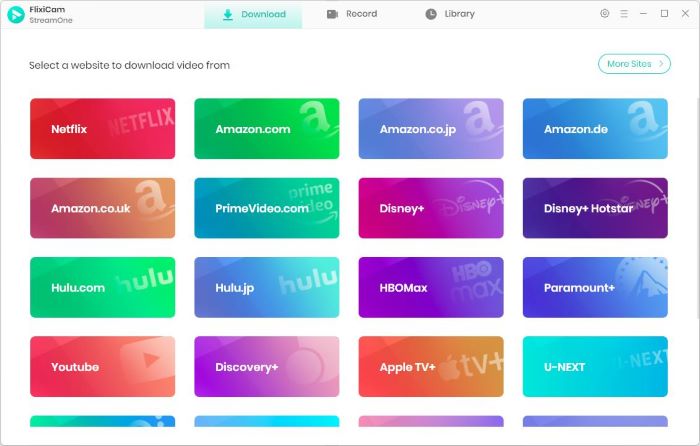
Step 2: Click the gear icon at the top-right corner to open the General settings and change the output format to MP4.
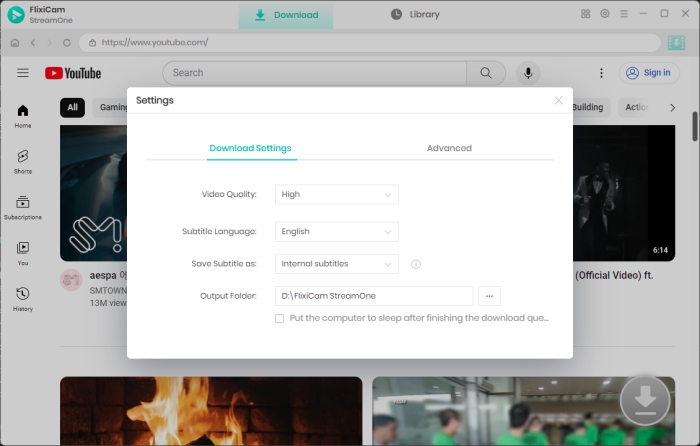
Step 3: Hit on the video and then the Download icon to access the Advanced Download settings window, where you can choose season, episodes, video quality (up to 8K), subtitles, and audio trakcs.
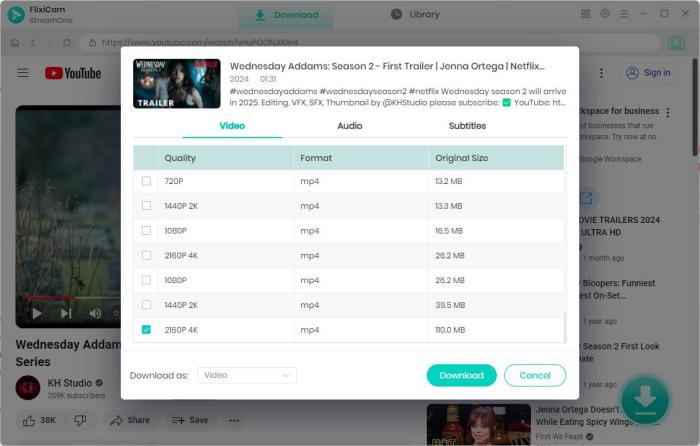
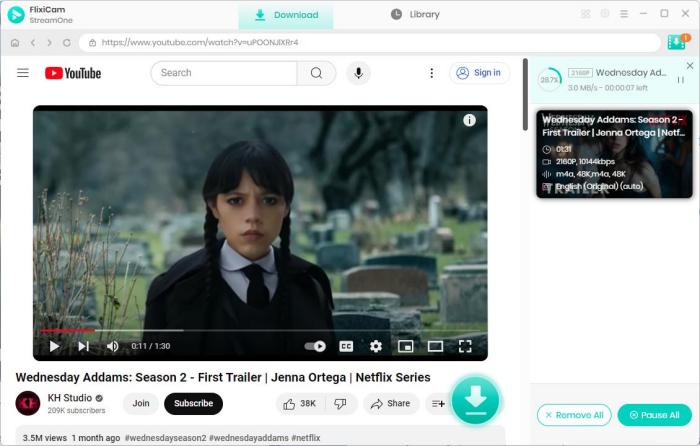
Step 4: Click the Download button to save YouTube videos to MP4 format.
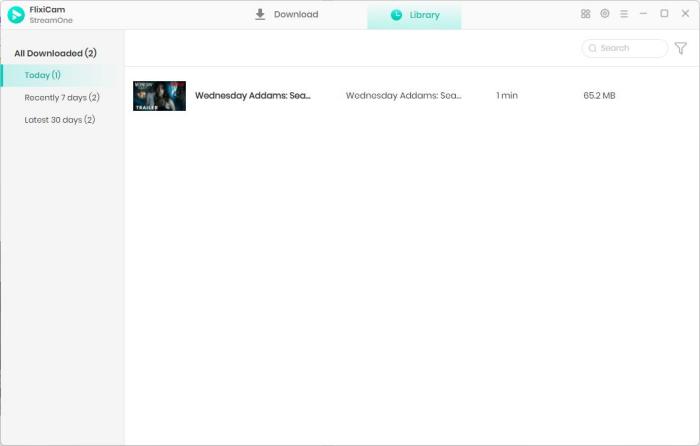
Step 5: After the process finishes, you can find YouTube MP4 videos in the Library tab.
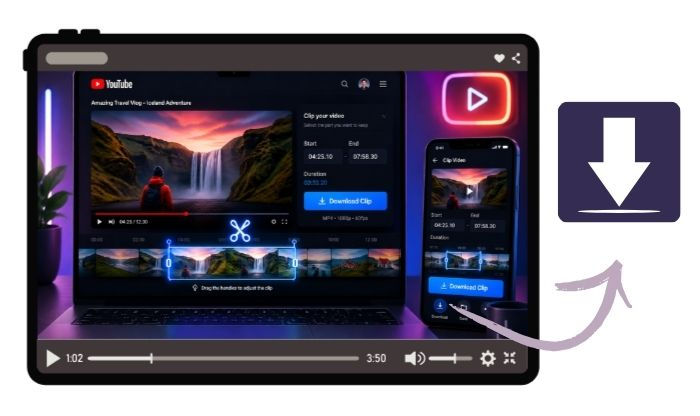
Free Download Part of YouTube Video - 100% Working
Want to just download a clip from a YouTube video? Get online YouTube trimmers, YouTube's Clip feature, and FlixiCam YouTube Clip Downloader here. Learn More > >
2. Y2mate: The Quick Web-Based YouTube Downloader
Ratings:
Y2mate stands out as a go-to pick for anyone needing to download YouTube videos online. What makes it practical is its no-fuss approach — perfect for one-off YouTube downloads or when you're on a public computer where you can't install apps. It has fast access to YouTube videos for download, which is exactly what most users need in a pinch.
Pros
- 100% free, no registration required.
- Works on all browsers (Chrome, Firefox, Safari).
- Fast for small files (e.g., short videos).
Cons
- Ads can be intrusive and slow down the process.
- Doesn't support 4K downloads (max 1080p).
- Risk of redirects to untrusted sites if you click ads.
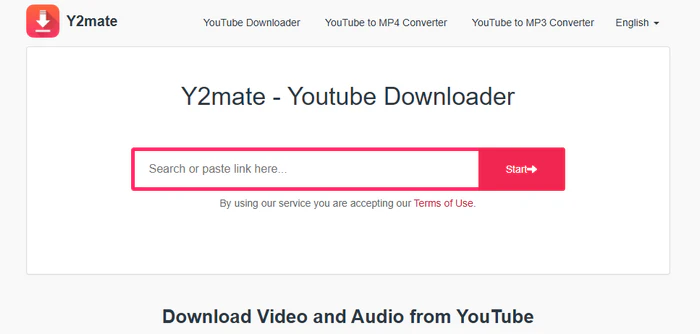
How to Download a YouTube Video for Free with Y2mate
Step 1: Go to Y2mate's website: https://v6.www-y2mate.com/.
Step 2: Paste the YouTube URL into the search bar and click "Start".
Step 3: Select MP4 (or MP3) and a resolution (360p to 1080p).
Step 4: Click "Download" — the YouTube file will save directly to your browser's downloads folder.
How to Rip Music from YouTube: 6 Free & Easy Methods (2026)
Want to rip music from YouTube easily? Discover 6 free and working methods in 2026 to download YouTube music in MP3, M4A, WAV, and more. Learn More > >
3. SaveFrom.net: Instant YouTube Video Downloads
Ratings:
Savefrom.net is a popular online tool that lets you download YouTube videos for free. While it has quick, no-cost access to YouTube content, the site is ad-heavy, occasionally redirects to third-party pages. The same trick works on Instagram, TikTok or Facebook, so you can download YouTube clips wherever you scroll.
Pros
- No app installation — uses just your browser.
- Supports playlists and audio extraction.
- Simple "SS" trick saves time.
Cons
- Limited to 720p on the web version.
- Some videos (e.g., age-restricted ones) may fail to parse.
- Not available in some regions.
📍Need higher resolution? Download FlixiCam YouTube Video 8K Downloader to save your YouTube clips in up to 8K/4K with one click.
Get the 8K YouTube Downloader by FlixiCam!👇
 DOWNLOAD WIN FOR FREE
 DOWNLOAD MAC FOR FREE
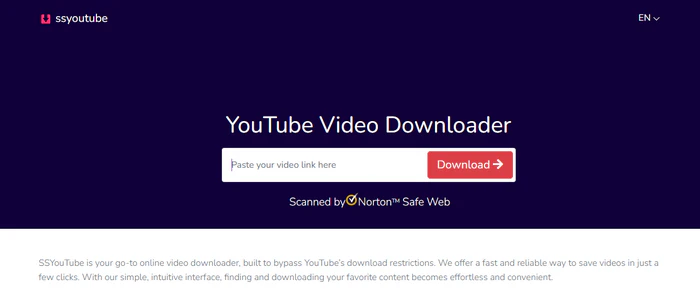
How to Download a YouTube Video for Free with Savefrom.net
Step 1: Open the YouTube video you want to download.
Step 2: Edit the URL: Change "youtube.com" to "ssyoutube.com".
Step 3: Press Enter — you'll be redirected to SaveFrom.net's download page.
Step 4: Choose MP4 or MP3 and a quality, then click "Download".
4. YTShortsDL: The Specialized YouTube Shorts Downloader
Ratings:
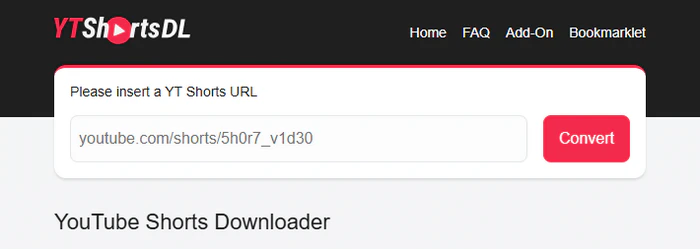
YTShortsDL is made only for YouTube Shorts, so it downloads every vertical YouTube clip in seconds — no extra menus, no waiting. If you scroll YouTube Shorts daily and want to keep the best ones, this one-job YouTube download tool is faster and simpler than any big downloader.
Pros
- Specialized for YouTube Shorts.
- No registration, ads, or watermarks.
- Works on all devices (desktop, Android, iOS) via any browser.
- Fast conversion speeds.
Cons
- Cannot download regular YouTube videos or playlists.
- No quality options.
- No batch download feature.
How to Download a YouTube Video for Free with YTShortsDL
Step 1: Open the YouTube Shorts video you want to save. On desktop, copy the URL from the browser's address bar. On mobile, tap the "Share" button and select "Copy Link".
Step 2: Go to YTShortsDL's official site (https://ytshortsdl.co/). Paste the copied link into the input box labeled "Please insert a YT Shorts URL".
Step 3: Click the "Convert" button. The tool will quickly parse the Shorts video. Once converted, a "Download" button will appear — click it to save the video as an MP4 file to your device's downloads folder.
5. SSVideoDownloader: Ad-Free Online YouTube Downloader
Ratings:
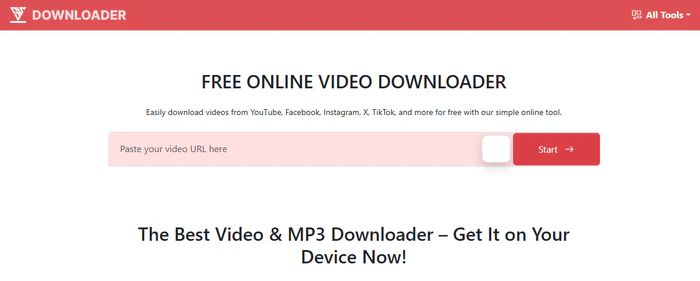
SSVideoDownloader keeps things simple, it is free, has no limits and lets you download any YouTube video you want. The nice part is it runs the same on a computer, a tablet, or your phone. If you like a site that always acts the same no matter where you open it, this one stays steady and does the job.
Pros
- No daily download limits.
- No pop-ups to interrupt downloads.
- Compatible with all major browsers and devices (iOS/Android/PC).
- No registration or account required.
Cons
- 4K downloads only work for some YouTube videos.
- Doesn't support extracting subtitles (SRT files).
- Slow processing for large files (e.g., 2-hour+ videos).
How to Download a YouTube Video for Free with SSVideoDownloader
Step 1: Go to SSVideoDownloader's official site: https://ssvideodownloader.com/.
Step 2: Copy the URL of the YouTube video you want and paste it into the input field.
Step 3: Click the "Download" button — wait a few seconds for the tool to parse the video.
Step 4: Select your desired format (MP4, AVI, or MP3) and resolution (360p to 1080p; 4K is available for select videos).
Step 5: Click the final "Download" button to save the file to your device.
6. YTDown: YouTube Downloader For Android & iPhone
Ratings:
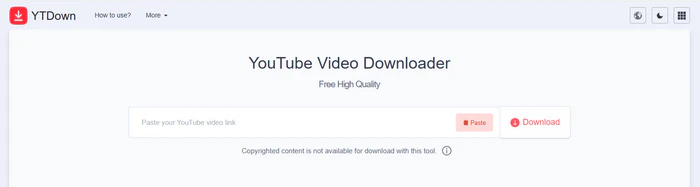
YTDown is built for people who live on their phones, and that's where it really wins. The whole site is shaped for small screens, so you can download any YouTube video for free on Android or iOS without adding another app. Every button is easy to tap, and the page pops up fast even when your signal is weak. If you download YouTube videos while you're out and about, YTDown feels smoother than the all-purpose sites that still act like you're on a big computer.
Pros
- Mobile-optimized interface.
- Fast downloads for short videos.
- No ads on the mobile version.
Cons
- Max resolution is 1080p (no 4K).
- Occasional glitches with long videos (over 1 hour).
- Doesn't save download history.
How to Download a YouTube Video for Free with YTDown
Step 1: Open YTDown (https://ytdown.to/en2/) in your phone's browser.
Step 2: Paste the YouTube URL and tap "Download".
Step 3: Choose MP4 (360p to 1080p) or MP3.
Step 4: Tap "Save" — the YouTube file will go to your phone's downloads folder.
7. Seekin.ai: The Ad-Free & Watermark-Free YouTube Downloader
Ratings:
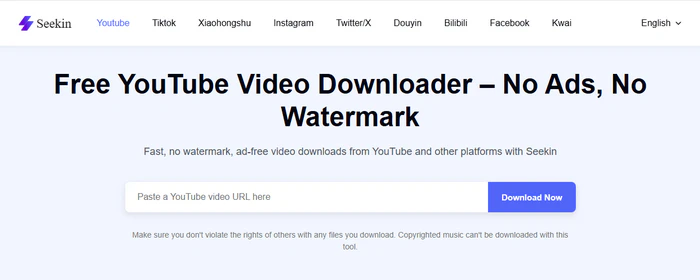
Seekin.ai YouTube Downloader keeps things tidy: no ads jumping around, no ugly stamps on your clip, just a plain screen where you paste the link and pull down the video in good HD. If you want to download YouTube videos clean and don't feel like closing a dozen windows, this one stays out of your way and gets it done.
Pros
- Ad-free and watermark-free YouTube downloads.
- Integrates with Seekin's text-transcription tool (for creators).
- Works on all devices (PC, mobile, tablet).
Cons
- Only supports YouTube (no other platforms).
- No batch download option.
- Slow during peak hours.
How to Download a YouTube Video for Free with Seekin.ai
Step 1: Visit Seekin.ai's downloader (https://www.seekin.ai/downloader/).
Step 2: Paste the YouTube URL and click "Download".
Step 3: Select MP4 (720p/1080p) or MP3 (320kbps).
Step 4: Click "Save File" — no extra steps or pop-ups.
8. YT1s: The One-Click Shortcut for Fast YouTube Downloads
Ratings:
YT1s keeps things as easy as the name sounds: paste the link, hit the big button, and your YouTube videos land on your phone or computer for free. You don't need to click around or fill out extra boxes, and it hands you everyday choices like MP4 for video or MP3 for music. If you care more about getting the job done fast than digging through menus, this one stays simple and moves quick.
Pros
- No registration or software installation.
- Fast processing for short videos.
- Clear, mobile-friendly interface.
Cons
- Free version only supports up to 720p (1080p/4K require payment).
- Occasional redirects to adult or ad-heavy sites.
- Doesn't support batch downloads or playlist parsing.
- Some MP3 downloads are locked behind premium.
How to Download a YouTube Video for Free with YT1s
Step 1: Open the YouTube video you want to download.
Step 2: Visit YT1s download page: https://yt1s.com.co/en222/.
Step 3: Choose your preferred format (MP4 for video, MP3 for audio) and resolution (up to 720p HD for free; 1080p requires a premium upgrade).
Step 4: Click "Download" — the YouTube file will start saving to your browser's default downloads folder.
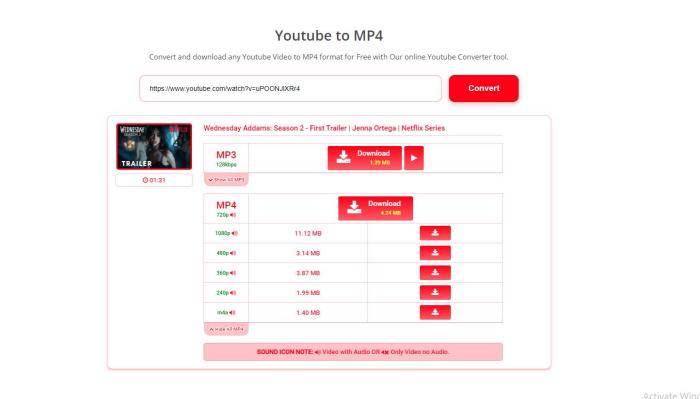
9. Media Mister: The No-Fuss Web-Based YouTube Downloader
Ratings:
Media Mister YouTube downloader is a perfect fit for users who want simplicity above all else. It cuts out all the extra fluff — no unnecessary features, no complicated settings — just a straightforward way to download YouTube video free quickly. It's reliable, easy to navigate, and ideal for anyone who just wants to get their YouTube video and go without any fuss.
Pros
- Supports 4K downloads.
- No ads or registration.
- Fast processing for HD videos.
Cons
- Daily limit of 10 videos.
- Doesn't remember your preferred settings.
- Limited to YouTube (no other platforms).
How to Download a YouTube Video for Free with Media Mister
Step 1: Go to Media Mister's page: https://www.mediamister.com/free-youtube-video-downloader.
Step 2: Paste the YouTube URL and click "Download YouTube Video".
Step 3: Choose MP4 (360p to 4K) or MP3.
Step 4: Click "Download Video" — the YouTube video saves instantly.
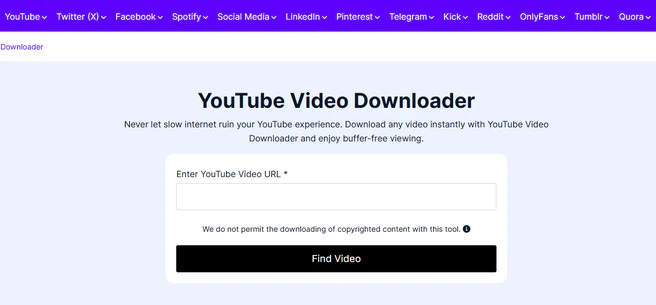
10. ToolsMart AI: The AI-Powered YouTube Video Downloader
Ratings:
ToolsMart AI YouTube Downloader is a free, web-based AI tool hub for users to free download videos from YouTube — no installs, no sign-ups, no ads. It's great for content creators, students, and professionals to download videos from social media.
Pros
- AI-powered quality suggestions.
- Works on all browsers.
- No ads and fast downloads.
Cons
- Only supports MP4 and MP3.
- No 4K support (max 1080p).
- Occasional AI glitches.
How to Download a YouTube Video for Free with ToolsMart AI
Step 1: Open ToolsMart AI YouTube Downloader: https://www.toolsmart.ai/feature-free-youtube-video-downloader/.
Step 2: Paste the YouTube URL and click "Download".
Step 3: The AI suggests the best format (MP4) and quality for your device (e.g., 720p for phones).
Step 4: Click "Save" — the YouTube video is optimized for your screen.
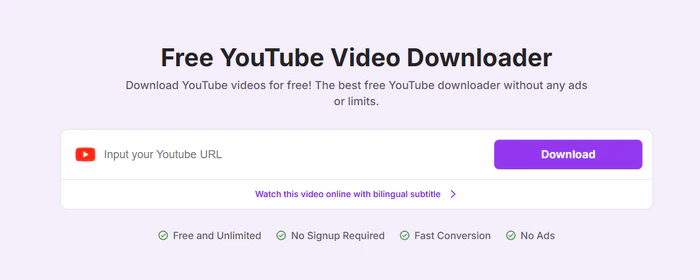
Which YouTube Downloader Should I Choose
If you have low download needs or no high requirements for YouTube video quality, online tools like Y2mate are practical choices. However, if you value high-quality (up to 8K) downloads, batch processing, or an ad-free experience, FlixiCam YouTube Downloader is our top recommendation—it's the most reliable and versatile option overall.

The Best Tool to Convert YouTube Music
Want to enjoy your YouTube Music for offline playback? TuneMobie Music Converter is definitely worth a try. This tool can convert music from 17+ platforms (Spotify, Apple Music, YouTube Music, Amazon Music, etc.) to universal formats (MP3, M4A, FLAC, etc.) with original sound quality and complete ID3 tags kept. Learn More >>
📢 Disclaimer
All tutorials here are for personal entertainment & education only. Please ensure you have a valid legal account on the relevant platforms. We do not support commercial distribution or piracy — always respect content creators' copyrights.
Ashley Wood | Senior Writer