10 Free Best YouTube Shorts Downloaders in 2026: 8K Download & No Watermark
 Ashley Wood
- 25 September, 2026
- Blog
📢 Disclaimer: This guide is for personal use; always respect YouTube's copyright policies.
YouTube doesn’t have a built-in feature to save Shorts. As a result, you won’t be able to download YouTube Shorts as MP4 files for offline playback, reference, or backing up your own published YouTube content directly.
The tools in this guide will help you save YouTube Shorts to your device cleanly and without any watermarks. We've tested and reviewed 10 different options for various use cases to help you find a reliable YouTube Shorts downloader.
💡💡Comparison Table of Top 10 YouTube Shorts Downloaders
| Tool Name | Max Quality | Output Format | Batch download | Ad-Free | Type |
| 👍Flixicam YouTube Shorts Downloader | 8K | MP4, MKV, MP3, M4A, SRT, VTT | ✅ | ✅ | Desktop |
| 4K Video Downloader Plus | 4K | MP4, MP3, SRT | ✅ | ✅ | Desktop |
| YTShorts DL | 1080p | MP4 | ❌ | ✅ | Browser |
| y2mate | 1080p | MP4, MP3 | ❌ | ❌ | Browser |
| TubeMate | 1080p | MP4, MP3, M4A | ✅ | ❌ | Android App |
| Publer | 1080p | MP4 | ❌ | ✅ | Browser |
| SocialPlug | 720p | MP4, MP3 | ❌ | ✅ | Browser |
| Media Mister | 4K | MP4 | ❌ | ✅ | Browser |
| TurboScribe | 1080p | MP4 | ❌ | ✅ | Browser |
| Postplanify | 1080p | MP4 | ❌ | ✅ | Browser |
How to Rip Music from YouTube: 6 Free & Easy Methods (2026)
Want to rip music from YouTube easily? Discover 6 free and working methods in 2026 to download YouTube music in MP3, M4A, WAV, and more. Learn More > >
1. FlixiCam YouTube Downloader — Free 8K YouTube Shorts Downloader for Desktop
Ratings:  | Trustpilot score: 4.8 / 5
Platform: Windows, macOS
Who it's for: Users who want the highest-quality (up to 8K) YouTube downloads and multi-platform streaming support in one free desktop tool.
If you want a single piece of tool that downloads YouTube Shorts without a watermark, while also covering Netflix, Amazon Prime, Disney+, Hulu, and 1,000+ other streaming sites — FlixiCam YouTube Downloader is the most versatile tool in this roundup.
FlixiCam supports YouTube videos and Shorts downloads up to 8K, the highest-quality YouTube download option available today among all free tools. It's completely free, no subscription required, and no watermark is added.
You don't need to switch back and forth between FlixiCam and YouTube in your regular browser, as it features a built-in YouTube browser. You can browse and find your YouTube Short, and it downloads instantly in MP4 or MKV format to your specified folder.
What Make FlixiCam the Top Choice:
- Download videos from over 1,000 sites including YouTube, Netflix, Amazon Prime, HBO Max, Disney+, Hulu, Peacock and more in MP4/MKV format.
- Built-in YouTube web player for direct search & playback.
- Keep YouTube downloads forever for offline access.
- Support batch download YouTube Shorts in 10x speed.
- Transfer YouTube MP4 files to any devices such as TVs, tablets, USB drives, and more.
- Remove ads from YouTube downloads.
- Extract separate audio & subtitles for flexible viewing.
Compatibility: Windows 10/11, macOS 11 and above.
Pros
- Free to use with no hidden or extra charges.
- Supports 8K YouTube downloads and batch downloading.
- Built-in browser — no copy-pasting URLs required.
- Support downloading YouTube Movies & TV shows.
Cons
- Requires installation (not a browser-only tool).
- Doesn't support downloading private YouTube videos.
- No mobile app available.
Top 7 Free Methods to Download YouTube Subtitles
This article presents 7 verified methods to download YouTube subtitles in formats like SRT, VTT, and TXT. Learn More > >
Tutorial: How to download YouTube Shorts with FlixiCam:
Step 1: Install and launch FlixiCam YouTube Downloader. Choose YouTube as the download site. You can log into your YouTube account, and browse content in the built-in YouTube browser. Alternatively, copy the YouTube URL from the web browser, and paste it to FlixiCam.
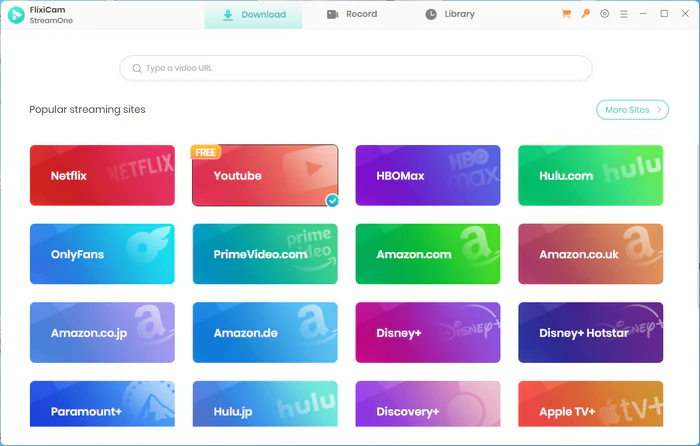
Step 2: Click the gear icon at the top-right corner to open the General settings and set the output format to MP4.
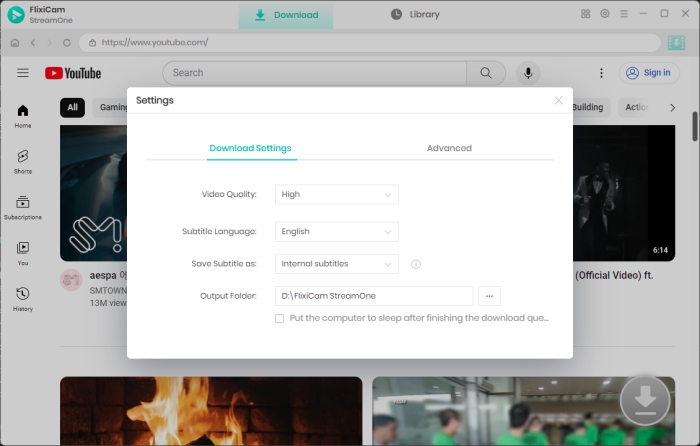
Step 3: Hit on the YouTube Short and then the Download icon to access the Advanced Download settings window, where you can choose video quality (up to 8K), subtitles, and audio trakcs.
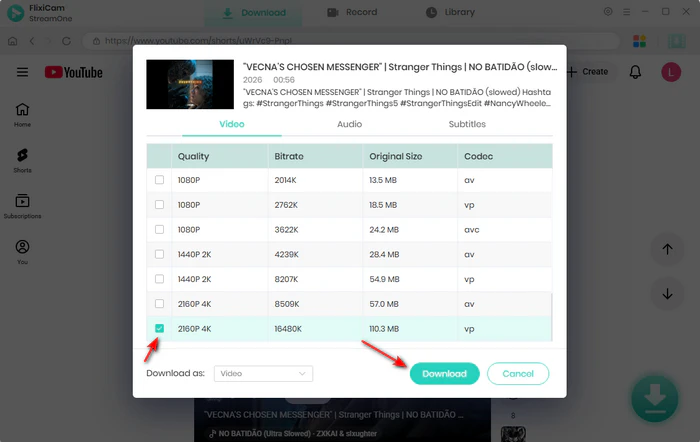
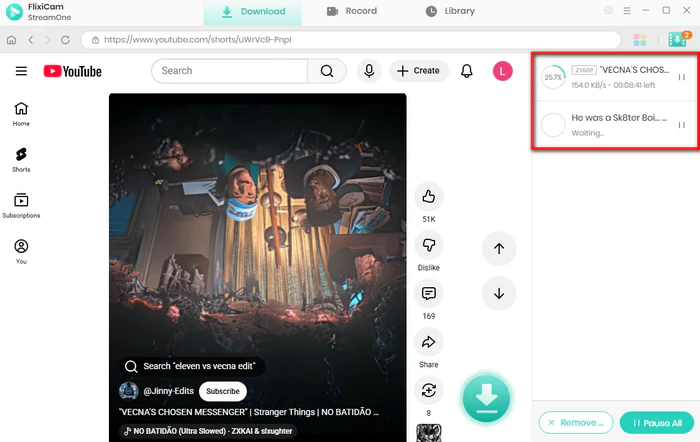
Step 4: Click the Download button to save YouTube Shorts to MP4 format.
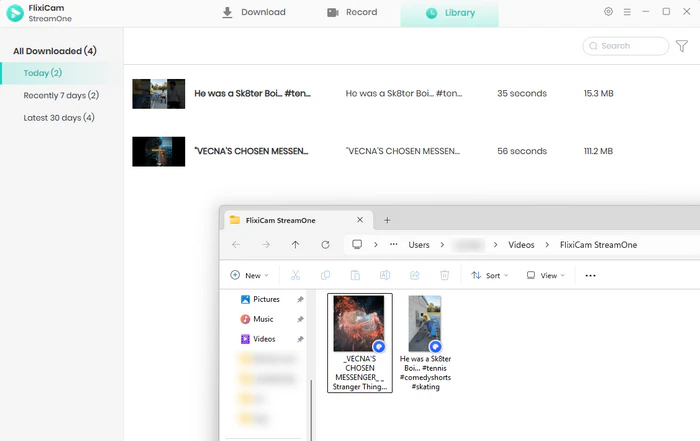
Step 5: After the process finishes, you can find YouTube MP4 Shorts in the Library tab.
Free Download Part of YouTube Video - 100% Working
Want to just download a clip from a YouTube video? Get online YouTube trimmers, YouTube's Clip feature, and FlixiCam YouTube Clip Downloader here. Learn More > >
2. 4K Video Downloader Plus — YouTube Shorts Downloader for Playlists and Channels
Ratings:
Platform: Windows, macOS, Linux
Who it's for: Users who need to bulk-download entire YouTube playlists or channels, and want a reliable desktop app across Windows, Mac, and Linux.
4K Video Downloader Plus has been a trusted desktop tool for YouTube Shorts downloading for years. Beyond single clips, it shines when you need to download an entire YouTube playlist or a whole channel's worth of YouTube Shorts in one.
You can choose to download YouTube Shorts to MP4 up to 4K resolution. The free version has daily download limits, but for casual use or occasional archiving it's more than sufficient. A Smart Mode feature lets you apply the same quality preset to all queued YouTube downloads automatically, convenient for downloading YouTube Shorts in bulk.
Pros
- MP4 export up to 4K resolution.
- Smart Mode for batch downloads.
- Full playlist and channel download.
Cons
- No built-in browser — requires manually copying and pasting URLs.
- The free tier limits the number of downloads allowed per day.
How to download YouTube Shorts with 4K Video Downloader Plus:
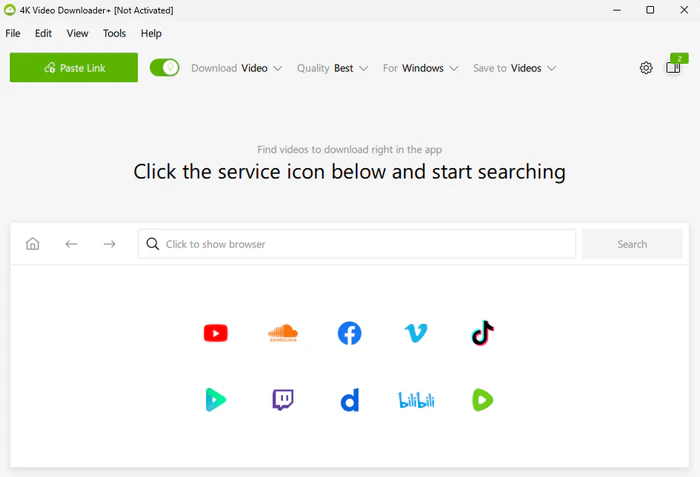
Step 1: Download and install 4K Video Downloader Plus. Open YouTube in your browser and navigate to the YouTube Short you want to save.
Step 2: Copy the YouTube Short's URL from the browser address bar. Open 4K Video Downloader Plus and click the "Paste Link" button at the top.
Step 3: Wait for the app to parse the YouTube Short, then select your preferred quality and MP4 format. Click "Download" — the YouTube Short saves to your output folder without a watermark.
Is YTMP3 Safe? Safer YTMP3 Alternatives I Tested in 2026
Is YTMP3 safe? To help you find a safer option, we tested the best YTMP3 alternatives in 2026, comparing their safety, ads, and download quality. Learn More > >
3. YTShorts DL — Dedicated YouTube Shorts Downloader
Ratings:
Platform: Browser-based
Who it's for: Casual users who want a clean, Shorts-specific tool bookmarked for occasional use.
Unlike other YouTube downloaders that treat Shorts as an afterthought, YTShorts DL was built specifically for YouTube Shorts from the ground up, so you can download YouTube Shorts without watermarks as fast as possible.
Since it's designed just for YouTube Shorts, it natively supports the 9:16 vertical format without any rotation or cropping issues that often happen with regular video downloaders.
Pros
- Built specifically for YouTube Shorts.
- Watermark-free MP4 output.
- Support vertical 9:16 Shorts format.
Cons
- No audio-only (MP3) extraction option.
- Limited quality selection compared to desktop tools.
- No batch or playlist support.
How to download YouTube Shorts with YTShorts DL:
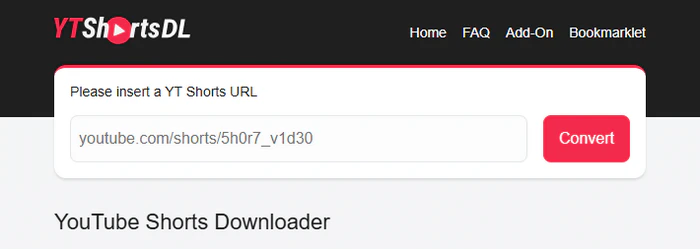
Step 1: Open YouTube and find the YouTube Short you want to save. Copy the full URL from the address bar.
Step 2: Go to ytshortsdl.io and paste the URL into the input box. Click the download button and wait a moment for the tool to process the YouTube Short.
Step 3: Select MP4 from the available format options presented. Click to download and save the file directly to your device.
4. y2mate — YouTube Shorts Downloader for MP4 and MP3
Ratings:
Platform: Browser-based
Who it's for: Users who want both MP4 video and MP3 audio options.
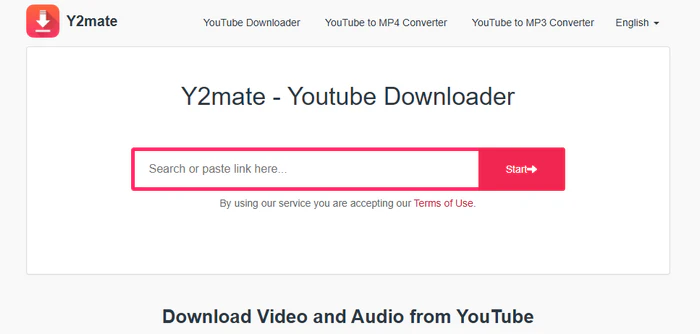
y2mate is a widely used online tool that many users turn to when they want to download YouTube Shorts to MP4 without installing software. You're presented with a side-by-side list of video and audio download options — from 360p all the way up to 1080p on the video side, and MP3 for audio-only needs.
That dual-format display is y2mate's practical advantage. If you only need the audio track from a music YouTube Short, the MP3 option is right there — no need to use a separate tool.
Pros
- No account or installation required.
- Accessible from both desktop and mobile browsers.
- MP4 video and MP3 audio download options.
Cons
- Expect pop-ups; be careful to click only the correct download button.
- No batch download support.
How to download YouTube Shorts with y2mate:
Step 1: Open YouTube and navigate to the YouTube Short you want to save. Copy the Short's URL from the browser address bar.
Step 2: Go to y2mate and paste the link into the search field. Click "Start" and wait for the tool to analyze the YouTube Short.
Step 3: Choose your preferred resolution under the MP4 column (or select MP3 for audio only). Click "Download" on your chosen quality to save the file to your device.
5. TubeMate — Android App for Downloading YouTube Shorts
Ratings:
Platform: Android
Who it's for: Android users who want a dedicated mobile app for downloading YouTube Shorts with full resolution and format control.
Most browser-based tools work passably on mobile, TubeMate gives you a native app where you search YouTube directly, pick your YouTube Short, and download it — all without leaving the app.
You can choose from a wide range of resolutions, select between video (MP4) and audio-only (MP3/M4A) output. TubeMate can resume interrupted downloads too — this is really handy when your mobile connection cuts out mid-download.
Note that TubeMate is not available on the Google Play Store. It's distributed as an APK from the official site, which requires enabling installs from unknown sources in your Android settings.
Pros
- Native Android app with built-in YouTube browser.
- Resume interrupted downloads automatically.
- Supports YouTube, Vimeo, Dailymotion, and other platforms.
Cons
- Android only — no iOS or desktop version.
- Requires APK sideload from the official site.
- Enabling installs from unknown sources adds a minor security consideration.
How to download YouTube Shorts with TubeMate:
Step 1: Visit TubeMate on your Android device and download the APK.
Step 2: Enable "Install from unknown sources" in your Android settings if prompted, then install the app.
Step 3: Open TubeMate — it launches with a built-in YouTube browser. Search for the YouTube Short you want to save.
Step 4: Tap the green download arrow that appears over the video. Select your preferred resolution and format (MP4), then confirm to start the download.
Need a secure desktop tool for YouTube Shorts downloads? Get FlixiCam, supporting up to 8K resolution! 👇
 DOWNLOAD WIN FOR FREE
 DOWNLOAD MAC FOR FREE
6. Publer — Easy-to-Use YouTube Shorts Downloader
Ratings:
Platform: Browser-based
Who it's for: Social media users who want a clean, trustworthy browser tool without ad noise.
Publer is primarily a social media scheduling platform, but it also offers a dedicated YouTube Shorts downloader as a free standalone tool. It has a cleaner interface — fewer ads, no aggressive redirects, no fake download buttons scattered around.
It's especially useful for social media content creators who are already familiar with Publer's scheduling system — a trusted, well-known tool for all their downloading needs.
Pros
- Part of a larger, established platform.
- No registration required for the downloader feature.
- Clean, minimal interface with fewer distractions.
Cons
- Audio-only (MP3) extraction not available.
- No batch or playlist download support.
- No manual resolution or quality selection.
How to download YouTube Shorts with Publer:
Step 1: Go to YouTube and open the Short you want to download. Copy the YouTube Short URL from your browser's address bar.
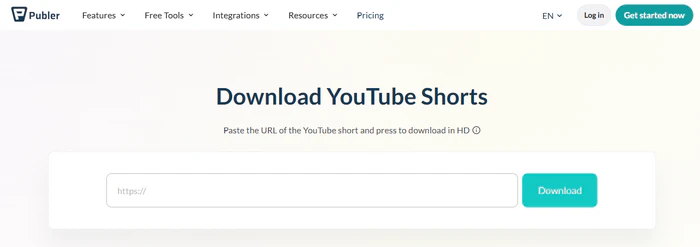
Step 2: Visit publer.com and paste the URL into the input field on the page.
Step 3: Click the download button. Your MP4 file will be saved directly to your device.
7. SocialPlug — Multi-Platform YouTube Shorts Downloader
Ratings:
Platform: Browser-based
Who it's for: Users who want a reliable, no-registration browser tool that download YouTube Shorts alongside other social platforms in one place.
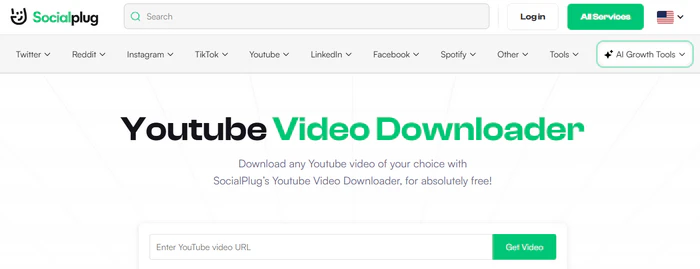
SocialPlug is best known as a social media growth platform, but its free YouTube video downloader stands out as a fully independent tool. The interface is notably uncluttered compared to most free browser converters.
Beyond YouTube, the same tool supports Instagram, Facebook, Twitter, and TikTok downloads, which makes it a practical bookmark for creators who routinely pull content from multiple platforms. For saving YouTube Shorts specifically, it supports both video (MP4) and audio (MP3) output, and HD YouTube downloads work reliably without quality degradation.
Pros
- Supports YouTube Shorts downloads in MP4 at HD quality.
- One tool for multiple platforms.
- MP3 audio extraction available.
Cons
- No batch or playlist download support.
- Quality options depend on what the source video provides.
- Browser-only — no desktop app available.
How to download YouTube Shorts with SocialPlug:
Step 1: Open YouTube and navigate to the Short you want to save. Copy the YouTube Short's URL from your browser's address bar.
Step 2: Go to socialplug.io and paste the URL into the input field and click the Download button.
Step 3: Select your preferred format (MP4) and resolution from the options shown. Click Download to save the file to your device.
8. MediaMister — Free YouTube Shorts Downloader with No Ads
Ratings:
Platform: Browser-based
Who it's for: Users frustrated by ad-cluttered downloader sites who just want a clean, simple download page.
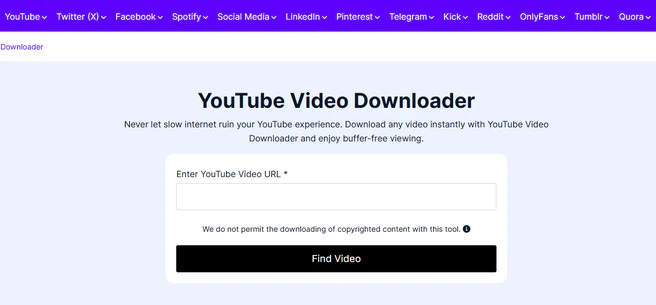
MediaMister YouTube Downloader is significantly cleaner than most free alternatives. Fewer ads, no deceptive "Download" buttons that redirect elsewhere, and a straightforward quality selection from SD up to HD or 4K where the source allows.
It's browser-based, works on all operating systems, and requires no registration. You can also use it to download YouTube Shorts from mobile browsers, making it practical for on-the-go use when you don't have access to a desktop.
Pros
- No sign-up or account creation required.
- Clean button layout with no misleading.
- Compatible with all devices and operating systems via browser.
Cons
- No batch or playlist downloads.
- Quality availability depends on the original source video.
- No audio-only (MP3) extraction option.
How to download YouTube Shorts with MediaMister:
Step 1: Go to YouTube and open the Short you want to save. Copy the URL from the browser's address bar.
Step 2: Go to mediamister.com and paste the URL into the input field and click the search/download button.
Step 3: Select your preferred quality from the results that appear. Click Download to save the MP4 file to your device.
9. TurboScribe — YouTube Shorts Downloader with AI Transcription
Ratings:
Platform: Browser-based
Who it's for: Users who need a text transcript of a YouTube Short alongside the downloaded video.
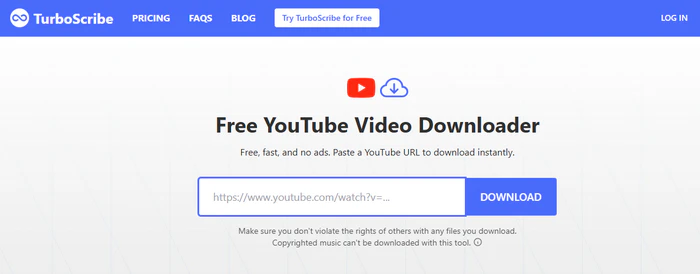
TurboScribe started as an AI transcription platform. Its YouTube downloader is a companion feature built for people who want both the video and an automatic transcript of the content.
If you're looking to turn YouTube Shorts into text, TurboScribe lets you generate the transcription in one step. It also supports over 100 languages, which is especially useful for multilingual YouTube Shorts.
Pros
- Automatic AI transcription of YouTube Shorts in 100+ languages.
- Transcript files can be downloaded separately alongside the video.
Cons
- No batch download.
- Free tier users have limits on transcription minutes.
How to download YouTube Shorts with TurboScribe:
Step 1: Copy the URL of the YouTube Short you want to save from your browser. Paste the URL into the input field on TurboScribe's downloader page.
Step 2: Choose whether you want video download only, or video + AI transcription. Click the Download button and wait for TurboScribe to analyze the Short.
Step 3: Download your MP4 file and, if selected, your transcript from the results page.
10. Postplanify — Download YouTube Shorts for Content Creation
Ratings:
Platform: Browser-based
Who it's for: Social media content creators who download YouTube Shorts to repurpose across TikTok, Instagram Reels, and other platforms.
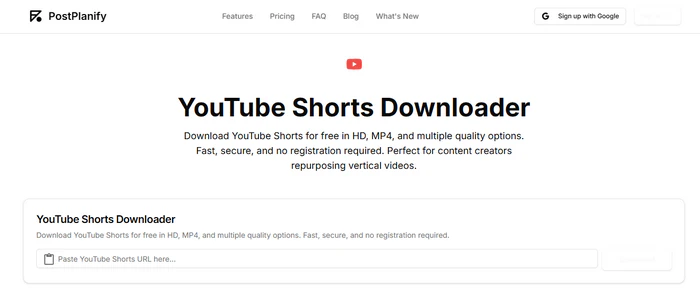
Postplanify is a social media management platform that offers a dedicated YouTube Shorts downloader as a free standalone tool — and it's clearly built with repurposing in mind. The quality options are laid out before you download.
The YouTube Shorts are save as MP4 file in the native 9:16 vertical format — ready to upload straight to TikTok, Instagram Reels, or Facebook without any reformatting needed. No registration required, and no watermark on the output.
Pros
- Watermark-free MP4 output in the correct 9:16 vertical format.
- Backed by an established social media management platform.
Cons
- Single video downloads only.
- No audio-only (MP3) extraction option.
- Advanced scheduling and posting features require a paid plan.
How to download YouTube Shorts with Postplanify:
Step 1: Open YouTube and navigate to the Short you want to save. Copy the URL from your browser's address bar.
Step 2: Paste the URL into the input field and click "Get Short". Choose your preferred resolution from the quality options displayed.
Step 3: Click Download — the MP4 file saves to your device in vertical 9:16 format.
FAQs about YouTube Shorts Downloader
1. Is it legal to download YouTube Shorts?
YouTube's Terms of Service technically ban downloading videos without permission. But personal use (not sharing them) is usually not enforced for individual users. What's definitely not allowed is re‑uploading, selling, or publicly sharing content that isn't yours. When you're unsure, only save your own videos or ones clearly licensed for reuse, like Creative Commons videos.
2. Can I download YouTube Shorts in 1080p quality?
Yes. Most YouTube Shorts are uploaded at 1080p. Among the tools in this list, FlixiCam YouTube Shorts Downloader supports up to 8K resolution for standard YouTube videos. 4K Video Downloader Plus and several browser-based tools also deliver clean 1080p MP4 output for current Shorts.
3. Do I need a YouTube Premium subscription to download Shorts?
No. The tools in this guide work independently of any YouTube subscription — including the free FlixiCam download feature, which has no quality or count restrictions for YouTube Shorts.
4. Can I extract just the audio from a YouTube Short?
Yes. FlixiCam lets you save YouTube Shorts audio as M4A or MP3 directly. y2mate displays both MP4 and MP3 download options side-by-side. Several other browser tools in this list also offer MP3 extraction.
5. Why does my downloaded YouTube Short play sideways or distorted?
YouTube Shorts use a 9:16 vertical aspect ratio. If your player displays the video incorrectly, try opening it in VLC Media Player, which plays vertical videos properly with no manual adjustment.
Tips for Saving YouTube Shorts Safely
Stick to official or well-known sources
Both FlixiCam and 4K Video Downloader Plus are made by trusted developers with clear privacy policies. For browser tools, the ones we covered are safe and reliable — you can also check real user discussions on communities like Reddit's r/youtube for more opinions.
Avoid sites with lots of "Download" buttons on the same page
A common trick on ad filled converter sites is hiding the real download button among fake ones. These fake buttons can send you unwanted browser notifications or install unrelated files. If a page feels chaotic, switch to a cleaner alternative.
Always respect copyright
Downloading YouTube Shorts for personal offline viewing or as a reference for your own content is usually fine. But redistributing others' videos, re‑uploading them under your name, or using them for commercial use without permission is not allowed — no matter what tool you use. You can find the full official rules in YouTube Terms of Service.
Final Thoughts
If you only occasionally need to download YouTube Shorts for personal use, any of the browser-based tools will handle the job in seconds. If you download YouTube Shorts regularly and need batch support, watermark-free output, and the highest possible quality, Flixicam YouTube Shorts Downloader is the most complete solution.
Whatever your use case, the tools allow you to download YouTube Shorts to MP4 reliably, safely, and without a watermark in sight.

The Best Tool to Convert YouTube Music
Want to enjoy your YouTube Music for offline playback? TuneMobie Music Converter is definitely worth a try. This tool can convert music from 17+ platforms (Spotify, Apple Music, YouTube Music, Amazon Music, etc.) to universal formats (MP3, M4A, FLAC, etc.) with original sound quality and complete ID3 tags kept. Learn More >>
📢 Disclaimer
All tutorials here are for personal entertainment & education only. Please ensure you have a valid legal account on the relevant platforms. We do not support commercial distribution or piracy — always respect content creators' copyrights.
Ashley Wood | Senior Writer