4 Best Netflix Ad Blockers in 2026: Tested and Reviewed
 Ashley Wood
- 16 October, 2026
- Blog
Netflix ads can interrupt your favorite shows and movies, making it harder to enjoy a seamless streaming experience. If you're looking for the best Netflix ad blocker in 2026, several tools and workarounds are worth considering.
In this guide, we'll review four Netflix ad-blocking options, examine how they work, and compare their key features, advantages, and limitations. Whether you want to reduce ad interruptions or watch your favorite content with more flexibility, this guide will help you find an option that fits your needs.
Quick Comparison: Best Netflix Ad Blockers
| Tool | Type | How It Blocks Ads | Offline Viewing | Output Format | Supported Devices | Best For |
|---|---|---|---|---|---|---|
| FlixiCam | Netflix Video Downloader | Download supported Netflix titles for playback without streaming ad interruptions | ✔️ Yes | MP4, MKV | Windows, Mac | Downloading Netflix movies and TV shows for offline viewing, with batch downloads and up to 1080p quality |
| uBlock Origin Lite | Browser Extension | Blocks many web ads and trackers; Netflix ad-blocking results may vary | ❌ No | N/A | Compatible desktop browsers | Blocking web ads and trackers while browsing |
| Brave Browser | Web Browser | Brave Shields blocks many web ads and trackers, but Netflix video ads may remain | ❌ No | N/A | Windows, Mac, Android, iPhone | General ad blocking and privacy-focused browsing |
| Streaming Enhanced | Chrome Extension | Offers ad skipping and acceleration; effectiveness may vary | ❌ No | N/A | Compatible desktop browsers | Skipping ads and intros across supported streaming platforms |
Part 1. Do Ad Blockers Actually Work on Netflix?
Ad blockers can sometimes reduce or skip ads on Netflix, but they don't work consistently for every user or device. Unlike traditional website ads, Netflix video ads are delivered as part of the streaming experience, making them harder for browser extensions to block reliably.
Some tools may work temporarily but stop working after Netflix updates its ad delivery system, while others may only skip ads or speed them up rather than remove them entirely. Their effectiveness can also vary depending on your browser, device, region, and subscription plan. If you're looking for a Netflix ad blocker, the options below are worth considering, but keep in mind that none can guarantee uninterrupted, ad-free playback in every situation.
Part 2. 4 Best Netflix Ad Blockers in 2026
1. FlixiCam
Netflix Ad Blocker Website: https://www.flixicam.com/netflix-video-downloader.html
Many Netflix ad blockers don't work consistently. Some may fail to block every in-stream ad, while others may work today but stop working after a browser or Netflix update. If you're looking for another way to enjoy Netflix content with fewer interruptions, FlixiCam is worth considering.
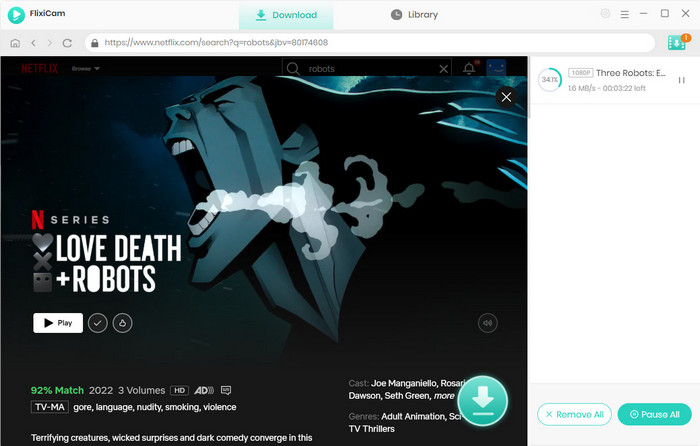
Although FlixiCam isn't a dedicated Netflix ad blocker, it offers an alternative approach: removing Netflix ads automatically for offline viewing. Even if you're subscribed to Netflix's ad-supported plan, you can download ad-free movies and TV shows for offline playback without streaming ad interruptions. Instead of relying on an ad-blocking extension, you can save your favorite content in MP4 or MKV and watch the downloaded files. This can provide a more convenient viewing experience without the interruptions associated with streaming ads.
Why You Need FlixiCam Netflix Video Downloader:
- Ad-free Netflix downloads (Basic/ad-supported plans included).
- Built-in Netflix web player for direct search & playback.
- Saves HD video (up to 1080 p) in MP4 or MKV format.
- Stores downloads locally without expiration for permanent access.
- Support batch download Netflix videos in 10x speed.
- Enables playback of downloaded Netflix videos on any device.
- Comes with multilingual subtitles support for flexible viewing.
Compatibility: Windows 10/11, macOS 11 and above.
✅ Pros of FlixiCam
- Ad-free playback of saved files help avoid interruptions from streaming ads.
- Offline viewing lets you watch downloaded Netflix movies and TV shows without an internet connection.
- MP4 and MKV support makes downloaded videos easier to manage.
- Batch downloading helps save multiple episodes more efficiently.
🔴 Cons of FlixiCam
- Requires software installation on a computer.
- Not compatible with mobile devices.
2. uBlock Origin Lite
Netflix Ad Blocker Website: https://chromewebstore.google.com/detail/ublock-origin-lite/ddkjiahejlhfcafbddmgiahcphecmpfh?hl=en
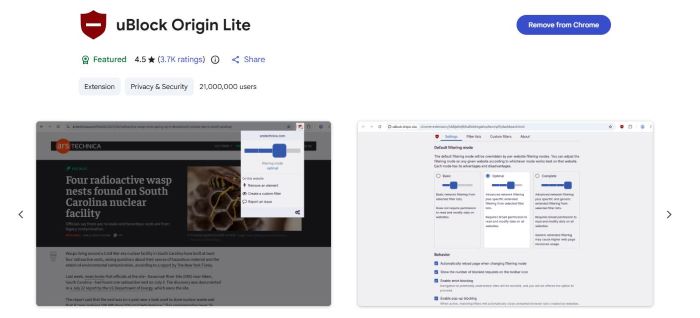
If you're looking for an easy-to-use Netflix ad blocker extension, uBlock Origin Lite is worth trying. Developed by the creator of uBlock Origin, this lightweight alternative is designed for Chrome and other browsers that support Manifest V3.
In my hands-on test, I enabled uBlock Origin Lite and watched anime, TV shows, and movies on Netflix. No ads appeared at the beginning of the content, and I didn't experience any mid-roll ad interruptions during my test. Based on these results, uBlock Origin Lite is a promising Netflix ad blocker for Chrome if you want a simpler way to enjoy a less interrupted viewing experience.
✅ Pros of uBlock Origin Lite
- Free to use with no subscription or registration required.
- Easy to install and use as a Chrome extension, with no complicated setup.
- Blocks many types of web ads and trackers to provide a cleaner browsing experience.
- Lightweight design helps keep the extension simple to use.
🔴 Cons of uBlock Origin Lite
- This version is designed for browsers that support Manifest V3, and its features may differ across browsers.
- Netflix ad blocking isn't guaranteed and may vary by account, region, or Netflix updates.
- Some ads may still appear, especially when Netflix changes how it delivers or inserts video ads.
- Fewer advanced filtering options than the full version of uBlock Origin.
3. Brave browser
Netflix Ad Blocker Website: https://brave.com/
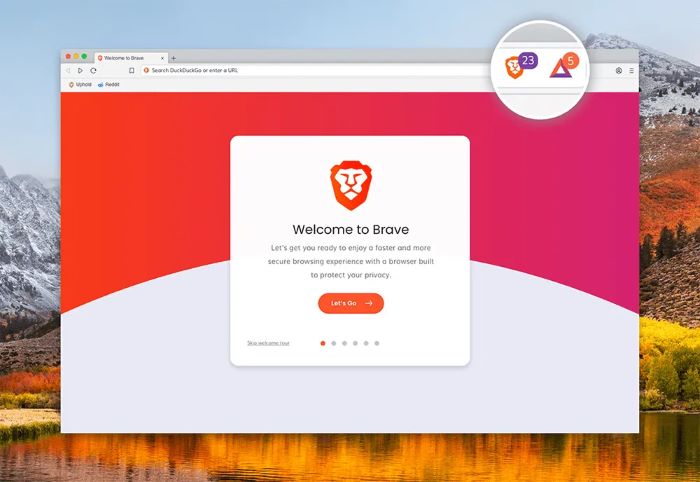
Strictly speaking, Brave isn't a dedicated Netflix ad blocker, but its built-in Brave Shields feature blocks ads and trackers on many websites. You don't need to install a separate extension or deal with complicated settings. Simply download Brave, open Netflix in the browser, and sign in to your account as usual.
However, Brave Shields doesn't guarantee that all Netflix video ads will be blocked. If you're looking for a simple Netflix ad blocker for a desktop, Brave is worth testing, but make sure to verify its performance with your Netflix plan and region.
✅ Pros of Brave Browser
- Built-in ad and tracker blocking with Brave Shields, so you don't need to install a separate ad-blocking extension.
- Available on desktop and mobile, including Windows, macOS, Android, and iPhone.
- Works across multiple websites, making it useful if you want general ad blocking beyond Netflix.
🔴 Cons of Brave Browser
- Requires installing an additional browser if you currently use Chrome, Safari, or another browser.
- Netflix video ad blocking results may vary depending on your subscription, region, and Netflix updates.
- Some Netflix ads may still appear because Brave Shields may not block every type of in-stream video ad.
- Not a dedicated Netflix ad blocker; its primary ad-blocking features are designed for general web browsing.
4. Streaming Enhanced
Netflix Ad Blocker Website: https://chromewebstore.google.com/detail/ublock-origin-lite/ddkjiahejlhfcafbddmgiahcphecmpfh?hl=en
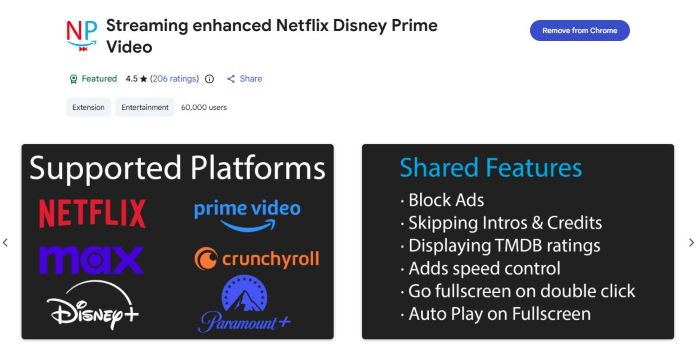
Streaming Enhanced is a Chrome extension that offers Netflix ad-blocking and playback-enhancement features. It includes options for skipping or speeding up ads and skipping intros. According to its Chrome Web Store listing, the extension has around 60,000 users and a rating of approximately 4.7 out of 5 stars.
Beyond Netflix, Streaming Enhanced also supports other streaming platforms, including HBO Max, Disney+, Prime Video, and Crunchyroll. This makes it worth considering if you're looking for a Netflix ad blocker for Chrome that also provides playback controls across multiple streaming services.
However, its effectiveness may vary depending on the streaming platform and updates to the service. Features such as ad skipping or acceleration may not work consistently for every title or viewing session, so it's best to test the extension with your own setup.
✅ Pros of Streaming Enhanced
- Ad skipping and acceleration to reduce time spent watching ads.
- Automatic intro skipping for a smoother viewing experience.
- Supports multiple platforms, including Netflix, HBO Max, Disney+, Prime Video, and Crunchyroll.
- Easy to use as a Chrome extension.
🔴 Cons of Streaming Enhanced
- Requires a compatible browser and extension installation.
- Ad blocking isn't guaranteed for every Netflix video or session.
- Some features may vary across streaming platforms.
- Updates to streaming services may temporarily affect functionality.
Part 3. FAQs about Netflix Ad Blockers
Q1. How to block ads on Netflix?
You can try a browser extension such as uBlock Origin Lite or Streaming Enhanced to block or skip some Netflix ads, although results may vary. Another option is to use an ad-free Netflix plan if one is available in your region. If you prefer offline viewing, FlixiCam lets you download Netflix movies and TV shows for playback without streaming ad interruptions.
Q2. How much does it cost to stop ads on Netflix?
The cost depends on your country and subscription plan. Netflix's ad-free plans generally cost more than its ad-supported plan, and prices vary by region. Check the official Netflix website for current pricing and available plans in your location.
Q3. Why can't I use AdBlock on Netflix?
Traditional ad blockers may not reliably block Netflix video ads because they are delivered differently from ordinary website ads. Netflix updates can also affect how well browser extensions work. Some tools may skip or speed up certain ads rather than block them completely, and effectiveness can vary by browser, device, and region.
Q4. Why does Netflix suddenly have ads?
If Netflix suddenly starts showing ads, your account may be using an ad-supported plan, or your subscription may have changed. Ads can also appear if you're signed in to a different account or using a plan that includes advertising in your region. Check your Netflix account settings to confirm your current plan and whether an ad-free option is available.
How can you rip Netflix movies in HD on a Mac without using the Netflix app? All you need is FlixiCam Netflix Downloader.
 Download Win
 Download Mac
Tested: 5 Best Netflix Downloaders for PC, Mac, Android & iPhone
We tested 5 Netflix downloaders for PC, Mac, Android, and iPhone to find the best option to download Netflix movies. Compare free trials, features, and performance in this review.Learn More > >
The End
Choosing the best Netflix ad blocker in 2026 depends on your device, streaming habits, and expectations. Browser-based solutions may help with certain types of ads, but they generally cannot guarantee that every ad within Netflix's video streams will be blocked. Compatibility and effectiveness can also change as Netflix updates its platform.
If traditional ad blockers don't meet your needs, you can consider alternative ways to enjoy Netflix content. For example, FlixiCam Netflix Video Downloader lets you download ad-free Netflix movies and episodes for offline viewing. Compare the available options carefully to find the one that best suits your viewing habits.
📢 Disclaimer
All tutorials here are for personal entertainment & education only. Please ensure you have a valid legal account on the relevant platforms. We do not support commercial distribution or piracy — always respect content creators' copyrights.
Ashley Wood | Senior Writer

![How to Record Netflix Videos [PC, Mac, Linux, iOS, Android]](/img/blog/record-netflix-video.jpg)