11 Best Netflix Video Downloaders in 2026 (Tested & Working)
 Ashley Wood
- 4 June, 2026
- Blog
Netflix has removed the download feature from its Windows app and still does not offer a dedicated Mac application, making it difficult to download Netflix movies for offline viewing on a computer. Fortunately, there is still a solution. In this guide, we review 11 tested Netflix video downloaders that allow you to download Netflix movies and shows in formats like MP4 or MKV, so you can watch them offline on different devices.
📢 Disclaimer: This article is for informational purposes only. The tools listed here are designed to help users access content for personal offline viewing. Please ensure you comply with the terms of service of the streaming platforms and local copyright regulations when using any third-party software.

Compare Netflix Downloaders & Choose the Right Tool
| Tool Name | Max Quality | Output Format | Audio | Success Rate | Batch Download | Supported Devices |
| 👍FlixiCam Netflix Video Downloader | 1080p | MP4, MKV, SRT, VTT | EAC3 5.1 / AAC / Dolby Atmos | High (95%+) | ✅ | Windows, Mac |
| VidiCable | 1080p for Netflix, 8K (YouTube) | MP4, MKV | AAC / 5.1 | High (~90%) | ✅ | Windows, Mac |
| SameMovie Netflix Video Downloader | 1080p | MP4, MKV | AAC / 5.1 | Medium-High (~88%) | ✅ | Windows, Mac |
| Audials Movie | 1080p (recorded) | MP4, MKV, AVI, WebM | Depends on recording (variable) | Medium (~80%) | ✅ | Windows |
| StreamFab Netflix Video Downloader | 1080p (HDR / Dolby Vision) | MP4, MKV | Dolby Atmos / 5.1 | High (92–95%) | ✅ | Windows, Mac |
| PlayOn | Up to HD (recording-based) | Recorded video formats | Stereo (recording) | Medium (~80%) | ❌ | Windows, Mac, Smart TV |
| AnyStream | 1080p | MP4 | AAC / 5.1 | High (~90%) | ❌ | Windows |
| FreeGrabApp Netflix Downloader | 1080p | MP4 | Audio: AAC | Medium (~85%) | ✅ | Windows |
| TunePat Netflix Video Downloader | 1080p | MP4, MKV | Audio: AAC / 5.1 | High (~90%) | ✅ | Windows, Mac |
| Kigo Netflix Downloader | 1080p | MP4, MKV | Audio: AAC / 5.1 | High (~90%) | ✅ | Windows, Mac |
| CleverGet Netflix Downloader | 1080p | MP4, MKV | AAC / 5.1 | High (~90%) | ✅ | Windows, Mac |
Why You Need a Netflix Downloader?
You might be wondering: If Netflix already supports offline viewing, why would I still need a Netflix downloader? Although Netflix allows users to download some titles for offline viewing in its official app, the feature comes with several limitations. Downloads can only be watched inside the Netflix app and often expire after a certain period.
Netflix currently does not offer a dedicated Mac app for offline downloads. Therefore, some users turn to third-party tools such as FlixiCam to save Netflix videos for offline playback. By using a Netflix downloader, users can save videos as MP4 or MKV files and watch them on different devices, such as computers, smartphones, or tablets, without relying on the Netflix app.
✅📺 Grab Flixicam Netflix Downloader — enjoy your favorite Netflix offline anytime!This tool is intended for personal offline viewing only. 👇
 DOWNLOAD WIN FOR FREE
 DOWNLOAD MAC FOR FREE
Testing Methodology
To ensure a fair and reliable comparison of the best Netflix video downloaders, we conducted hands-on testing under consistent conditions. Each tool was evaluated based on real-world usage rather than vendor claims or marketing descriptions. All software was tested on both Windows 11 and macOS systems using a stable broadband connection. We focused on the following key criteria:
- Video Quality Output – Maximum supported resolution and preservation of visual clarity.
- Audio Track Retention – Ability to keep original audio formats such as stereo, 5.1 surround sound, or Dolby Audio.
- Download Speed & Stability – Consistency of download performance under normal network conditions.
- Subtitle Support – Whether subtitles can be preserved as internal or external files (SRT/VTT).
- Batch Download Capability – Efficiency when downloading multiple episodes or full seasons.
List of the 11 Best Netflix Downloaders
#1) FlixiCam Netflix Video Downloader
Editor's Rating: 
Why we recommend it: FlixiCam combines fast download speed, 1080p video quality, and flexible subtitle options.
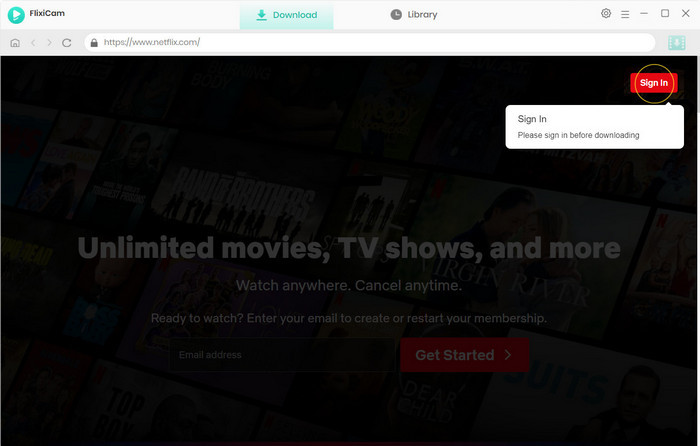
Founded in 2019, FlixiCam Netflix Video Downloader has built a strong reputation over the past several years for its 1080p downloads and 10× faster download speed. With FlixiCam, you can download Netflix videos in full HD and save them as MP4 or MKV files, making it easy to watch your favorite movies and TV shows on any device without relying on the Netflix app.
Downloading a single Netflix TV episode takes around 10 minutes, which makes FlixiCam a great choice for users who want to batch download entire seasons quickly. FlixiCam also enhances the viewing experience by preserving Dolby Atmos / 5.1 surround sound and multilingual subtitles, allowing users to enjoy Netflix content offline with high-quality audio and flexible subtitle options.
| OS | Windows/Mac |
| Supported Websites | Netflix and other major streaming platforms |
| Max Quality | 1080p Full HD |
| Audio Quality | Dolby Atmos / 5.1 surround sound preserved |
| Download Format | MP4, MKV, MP3 |
| Download Speed | Up to 10× faster download speed |
| Price | Lifetime license available |
| Customer Service | Responsive email support and regular updates |
| Download Success Rate | High success rate for downloading Netflix movies and TV shows |
| Batch Download | Yes(supports downloading entire seasons at once) |
| Average Download Time | 1.5 minutes for a 30-minute Netflix TV episode |
| Trial | Free trial available |
| Pros 👍 |
✅ Download Netflix videos in MP4 or MKV ✅ Preserve 1080p HD quality ✅ Support downloading Dolby 5.1 audio ✅ Batch download titles in 10x speed ✅ All-in-one built-in browser for previewing and downloading ✅ Remove ads automatically ✅ Works well on both Windows PC and Mac |
| Cons 👎 |
❌ Free trial only downloads the first 5 minutes of each video ❌ No mobile app available |
#2) VidiCable
Editor's Rating:
Why we recommend it: Suitable for users who want an all-in-one video downloader that supports Netflix and 1000+ streaming sites in one tool.
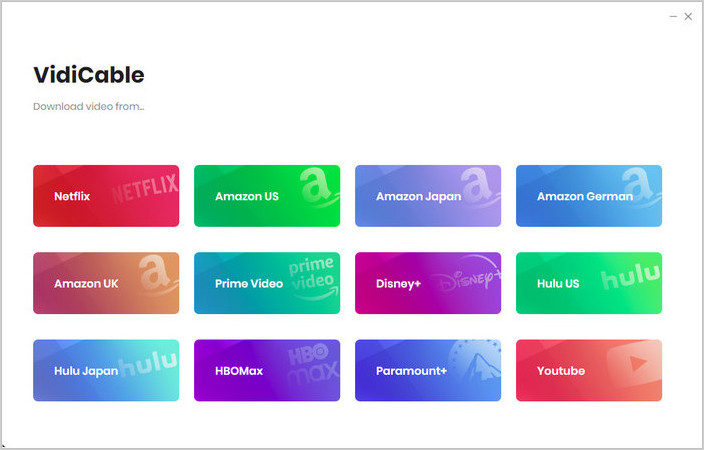
As an all-in-one video downloader, VidiCable allows users to download movies and TV shows from over 1,000 websites, including major streaming platforms like Netflix. Finding and downloading Netflix videos is easy with this tool. You can simply copy and paste the Netflix video link, or use the built-in browser to search and preview content directly, just like browsing on the official Netflix website.
VidiCable stands out for its versatility. It can download not only movies and TV shows but also live streams, clips, and bonus content from multiple platforms. It also supports free sites like YouTube and Abema, where users can download full videos without registration.
| OS | Windows/Mac |
| Supported Websites | Netflix, Amazon, Disney+, Hulu, HBO Max, YouTube, Abema, and 1,000+ sites |
| Max Quality | Up to 8K (YouTube) / 1080p |
| Audio Quality | Dolby Atmos / 5.1 surround sound preserved |
| Download Format | MP4, MKV, MP3 |
| Download Speed | Up to 10× faster download speed |
| Price | Paid subscription / Lifetime license available |
| Customer Service | Responsive email support and regular updates |
| Download Success Rate | High success rate for Netflix movies and TV shows |
| Batch Download | Yes (Supports downloading entire seasons, clips, and bonus content) |
| Average Download Time | 1.5 minutes for a 30-minute Netflix TV episode |
| Trial | Free trial available (First 5 minutes of each video) |
| Pros 👍 |
✅ Download from 1,000+ sites including Netflix & YouTube ✅ Support HD downloads (up to 8K for YouTube videos) ✅ Save videos in MP4 or MKV format with original metadata ✅ Built-in browser to search and preview content directly ✅ Download live streams, clips, and bonus content ✅ Works on Windows and Mac |
| Cons 👎 |
❌ Free trial only downloads the first 5 minutes of each video ❌ Advanced features require a paid subscription ❌ No mobile app available |
#3) SameMovie Netflix Video Downloader
Editor's Rating
Why we recommend it: Ideal for users looking for a simple tool to download Netflix videos in MP4 or MKV with HD quality.
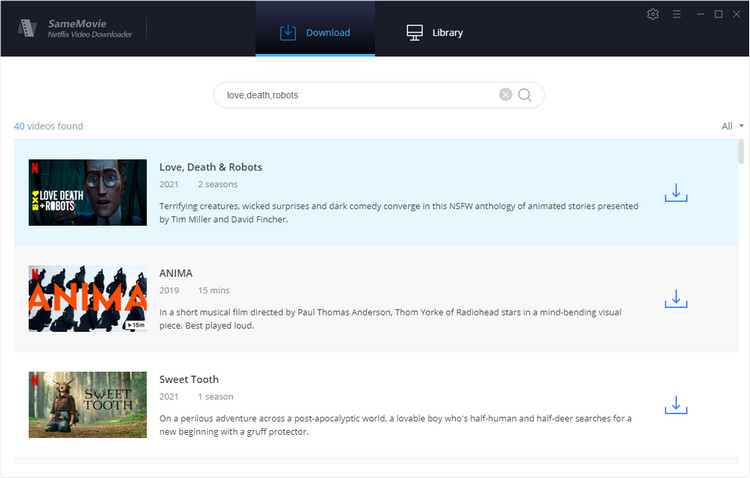
SameMovie Netflix Video Downloader is a dedicated tool designed to help users download Netflix videos for offline viewing. It allows you to export Netflix videos in MP4 and MKV. This makes it easy to play downloaded content on a variety of devices, including smartphones, tablets, laptops, and smart TVs.
SameMovie features a clean and intuitive interface that makes it easy for beginners to use. With no steep learning curve, you can quickly search, select, and download titles. In addition, SameMovie supports both H.264 and H.265 video codecs, giving you the flexibility to choose the best option depending on their device compatibility.
| OS | Windows / Mac |
| Supported Websites | Netflix only |
| Max Quality | Up to 1080p quality |
| Audio Quality | Dolby 5.1 audio preserved |
| Download Format | MP4, MKV |
| Download Speed | Fast download speed |
| Price | Paid subscription / Lifetime license available |
| Customer Service | Email support and regular updates |
| Download Success Rate | Reliable for downloading Netflix movies and TV shows |
| Batch Download | Yes (Supports downloading TV series and multiple episodes) |
| Average Download Time | Depends on network speed and video length |
| Trial | Free trial available (First 5 minutes of each video) |
| Pros 👍 |
✅ Download Netflix movies and TV shows in MP4 or MKV format ✅ Preserve HD video quality with Dolby 5.1 audio ✅ Support both H.264 and H.265 video codecs ✅ Offer three subtitle modes for flexible playback ✅ Keep original metadata of downloaded videos ✅ Beginner-friendly interface with easy navigation |
| Cons 👎 |
❌ Free trial only downloads the first 5 minutes of each video ❌ Only supports downloading from Netflix ❌ Advanced features require a paid license |
#4) Audials Movie
Editor's Rating
Why we recommend it: A good choice for users who prefer a recording-based solution to capture Netflix videos in multiple formats.
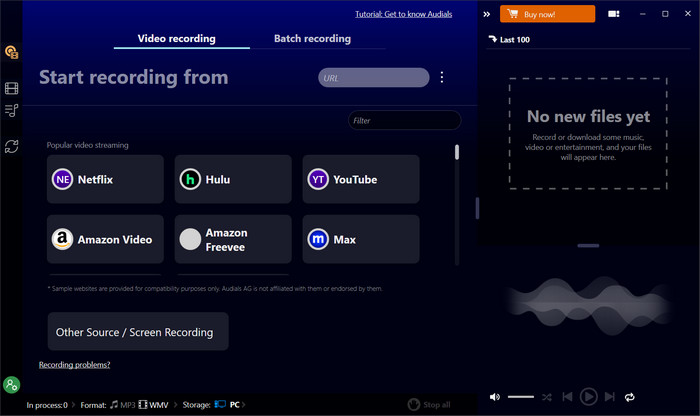
Audials captures Netflix content through a screen recording method and converts it into common video formats such as MP4, MKV, AVI, or WebM. This makes it easy to save and watch Netflix content offline on multiple devices.
Audials uses intelligent recording technology to boost speed by up to 4×. It records the video in four segments simultaneously and automatically merges them into a complete file for faster results. If ads appear during the recording process, there’s no need to worry. Audials allows users to manually remove ads after recording, ensuring the final video remains clean and does not affect the overall viewing experience. If you don’t mind manually removing ads after the recording is finished, Audials could be a good option for you.
| OS | Windows |
| Supported Websites | Netflix and other streaming services (via screen recording) |
| Max Quality | Up to 60 fps recording quality |
| Audio Quality | Original audio preserved during recording |
| Download Format | MP4, MKV, AVI, WebM |
| Download Speed | Up to 4× faster recording speed |
| Price | Paid license available |
| Customer Service | Email support and software updates |
| Download Success Rate | Reliable recording performance for streaming videos |
| Batch Download | No (Records videos individually) |
| Average Download Time | Depends on video length and recording speed |
| Trial | Free trial available |
| Pros 👍 |
✅ Record Netflix videos up to 4× faster ✅ Save videos in MP4, MKV, AVI, or WebM format ✅ Works with Chrome, Firefox, and Edge browsers ✅ Intelligent multi-segment recording for faster capture ✅ Supports offline viewing across multiple devices |
| Cons 👎 |
❌ Recorded ads must be removed manually ❌ Limited to recording videos at up to 60 fps ❌ Recording-based method may take longer than direct downloading |
#5) StreamFab Netflix Video Downloader
Editor's Rating
Why we recommend it: Best for users who want Netflix downloads with HDR support and automatic scheduled downloads for new episodes.
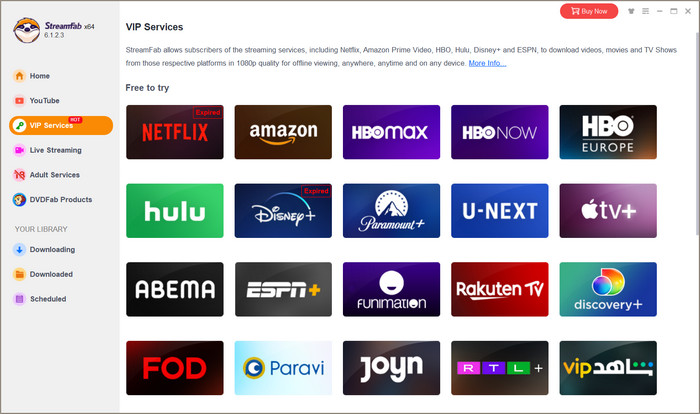
StreamFab Netflix Video Downloader supports downloading 1080p Netflix videos, while preserving HDR10 or Dolby Vision video quality and Atmos/EAC3 5.1 surround sound. By saving Netflix videos in MP4 or MKV format, StreamFab allows users to watch their favorite movies and TV shows on a wide range of devices, including Windows PCs, Mac computers, smartphones, and smart TVs.
One of StreamFab’s most unique features is its Scheduled Download function. Users can add their favorite TV shows to the scheduled queue, and the software will automatically download newly released episodes based on daily or weekly schedules, making it easy to keep up with ongoing series without manual downloads.
| OS | Windows / Mac |
| Supported Websites | Netflix and other streaming services |
| Max Quality | Up to 1080p with HDR10 / Dolby Vision support |
| Audio Quality | Dolby Atmos / EAC3 5.1 / AC3 5.1 preserved |
| Download Format | MP4, MKV |
| Download Speed | Fast download speed |
| Price | Higher-priced paid license |
| Customer Service | Email support and software updates |
| Download Success Rate | Reliable for downloading Netflix movies and TV shows |
| Batch Download | Yes (Supports downloading TV series and scheduled episodes) |
| Average Download Time | Depends on network speed and video length |
| Trial | Free trial available |
| Pros 👍 |
✅ Download Netflix videos in up to 1080p quality ✅ Preserve HDR10 / Dolby Vision video quality ✅ Save audio in EAC3 5.1, AC3 5.1, and AAC 2 ✅ Automatically download newly released episodes ✅ Scheduled Download feature for ongoing TV series ✅ Save videos in MP4 or MKV format |
| Cons 👎 |
❌ Higher price compared to similar tools ❌ Does not support downloading Netflix videos in 4K ❌ Only offers a 14-day money-back guarantee |
#6) Playon
Editor's Rating
Why we recommend it: PlayOn offers a DVR-like recording solution for users who want to capture streaming content from Netflix and other platforms for offline viewing.
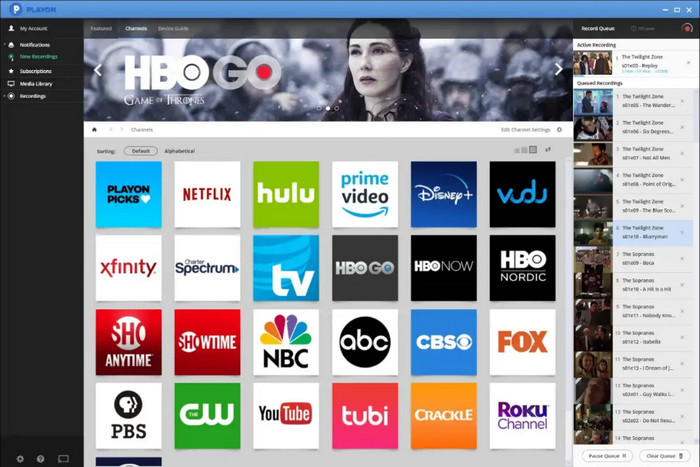
PlayOn takes a different approach from traditional Netflix downloaders. Instead of directly downloading videos, it works like a personal DVR for streaming services, allowing users to record shows and movies from platforms such as Netflix, Hulu, and Amazon Prime Video.
The software can also record live TV channels like ABC, NBC, and CBS, bringing multiple streaming sources into one place. Once recorded, the videos can be stored and watched offline anytime. However, since PlayOn relies on a recording-based method, the recording time is usually equal to the length of the video, which may feel slower compared with dedicated streaming downloaders.
| OS | Windows |
| Supported Websites | Netflix, Hulu, Amazon Prime Video, and live TV channels |
| Max Quality | Standard recording quality |
| Audio Quality | Original audio preserved during recording |
| Download Format | MP4 |
| Download Speed | Recording time equals video length |
| Price | Paid subscription available |
| Customer Service | Email support and software updates |
| Download Success Rate | Reliable for recording streaming videos and live TV |
| Batch Download | Yes (Supports scheduled recording for TV episodes) |
| Average Download Time | Usually equal to the full video length |
| Trial | Free trial available |
| Pros 👍 |
✅ Record movies and TV shows from Netflix, Hulu, and Amazon Prime Video ✅ Supports recording live TV channels like ABC, NBC, and CBS ✅ Scheduled recording for newly released Netflix episodes ✅ Works like a personal DVR for streaming services ✅ Watch recorded videos offline anytime |
| Cons 👎 |
❌ Recording time equals the full video length ❌ Lower video quality compared to dedicated downloaders ❌ Recorded video files can be large |
#7) AnyStream
Editor's Rating
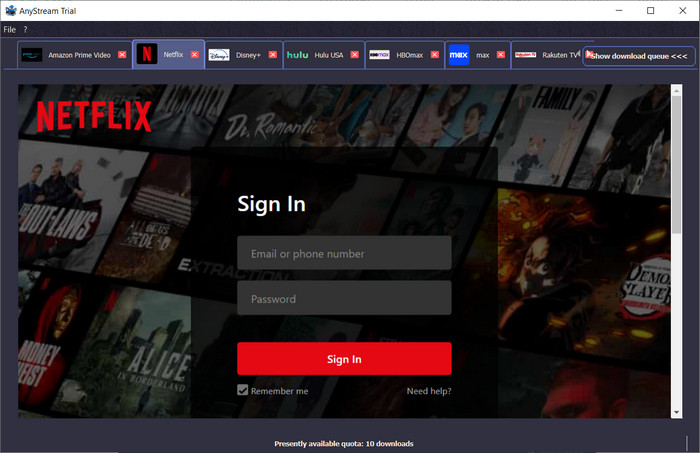
AnyStream is a powerful tool that allows users to download and convert videos in MP4 from different streaming platforms. The standard version of AnyStream supports Amazon Prime Video, Disney+, Netflix, YouTube, CWTV (USA), the plus version adds support for HBO Max, Hulu (USA), Max, Paramount+, Peacock, Rakuten TV, WowTV (Europe).
It works by emulating a virtual browser and recording the video in high quality. With AnyStream, users can enjoy their favorite shows and movies even when offline and without relying on unstable internet connections. Not only that, but AnyStream can also convert downloaded videos to different formats, making them compatible with a wide range of devices.
Note: AnyStream has been discontinued for about two years. If you’re looking for a reliable alternative, check out FlixiCam Netflix Downloader.
| OS | Windows |
| Supported Websites | Netflix, Amazon Prime Video, Disney+, YouTube, Hulu, HBO Max, Paramount+, Peacock, and more |
| Max Quality | Up to HD quality |
| Audio Quality | Dolby Digital Surround Audio 5.1 supported |
| Download Format | MP4 |
| Download Speed | Fast downloading and conversion speed |
| Price | Previously offered paid licenses (Now discontinued) |
| Customer Service | Limited support due to discontinued status |
| Download Success Rate | May vary as the software has been discontinued |
| Batch Download | Yes (Supports downloading TV shows and multiple videos) |
| Average Download Time | Depends on network speed and video length |
| Trial | No longer actively available |
| Pros 👍 |
✅ Supports Netflix and multiple streaming platforms ✅ Easy-to-use browser-based interface ✅ Supports Dolby Digital Surround Audio 5.1 ✅ Smart pre-selection of audio and subtitle languages ✅ Save videos in MP4 format for offline viewing |
| Cons 👎 |
❌ Software has been discontinued for about two years ❌ Reliability and compatibility may decline over time ❌ No longer a recommended long-term solution |
#8) FreeGrabApp Netflix Downloader
Editor's Rating
Why we recommend it: FreeGrabApp provides a straightforward way for Windows users to download Netflix videos in HD with minimal setup.
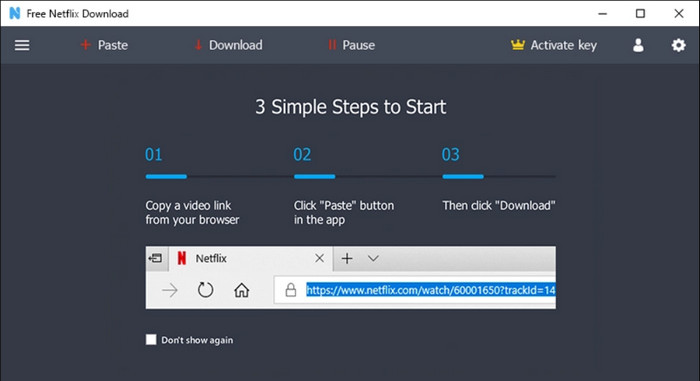
FreeGrabApp is a simple Netflix video downloader designed for Windows PCs. It supports downloading videos from Netflix and 10 other popular platforms in HD quality up to 1080p, while also preserving 5.1 surround audio for a better viewing experience. The software also keeps audio descriptions for visually impaired users and preserves subtitles in both SRT and original formats, making it easier to enjoy downloaded content with full accessibility options.
However, FreeGrabApp also has some limitations. The software is only available for Windows PCs and supports downloading videos in MP4 format only. If you are using macOS or want a tool that supports downloading videos from a wider range of websites, you may need to consider other Netflix downloaders.
| OS | Windows |
| Supported Websites | Netflix and 10+ popular streaming platforms |
| Max Quality | Up to 1080p HD quality |
| Audio Quality | 5.1 surround audio preserved |
| Download Format | MP4 only |
| Download Speed | Fast download speed |
| Price | Paid license available |
| Customer Service | Email support and software updates |
| Download Success Rate | Reliable for downloading Netflix videos in HD |
| Batch Download | Yes (Supports downloading multiple videos) |
| Average Download Time | Depends on network speed and video length |
| Trial | Free trial available |
| Pros 👍 |
✅ Clear and beginner-friendly interface ✅ Preserve 5.1 surround audio for better playback ✅ Keep subtitles in both SRT and original formats ✅ Supports batch downloading of multiple videos ✅ Preserve audio descriptions for accessibility |
| Cons 👎 |
❌ Only available for Windows PCs ❌ Videos can only be downloaded in MP4 format ❌ Supports fewer streaming sites than all-in-one downloaders |
#9) TunePat Netflix Video Downloader
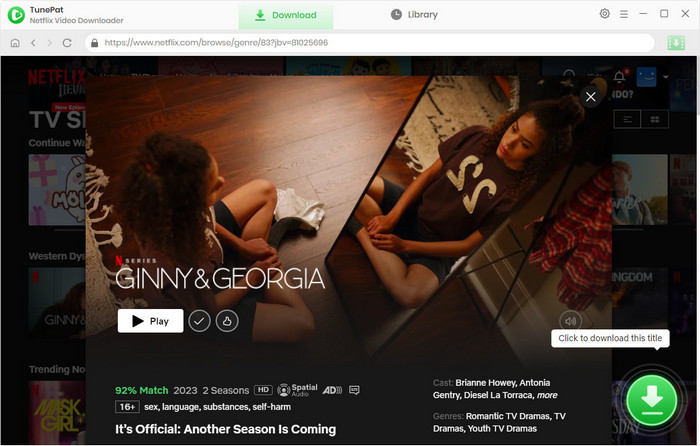
TunePat Netflix Video Downloader is a specialized tool crafted for downloading movies and TV shows from Netflix. It offers high-quality downloads (up to 1080p) and provides options for selecting preferred video quality, audio tracks, and subtitles. The software ensures that the downloaded content will be saved in MP4 as well as MKV format, allowing users to enjoy their favorite Netflix content at their convenience.
| OS | Windows/Mac |
| Supported Websites | Netflix |
| Max Quality | Up to 1080p quality |
| Audio Quality | 5.1 surround audio preserved |
| Download Format | MP4, MKV |
| Download Speed | Fast download speed |
| Price | Paid license |
| Customer Service | Email support |
| Download Success Rate | Reliable for downloading Netflix videos in HD |
| Batch Download | Yes (Supports downloading multiple videos at once) |
| Average Download Time | Depends on network speed and video length |
| Trial | Free trial available |
| Pros 👍 |
✅ Download Netflix movies and TV shows in up to 1080p HD quality ✅ Save videos in both MP4 and MKV formats ✅ Preserve multiple audio tracks and subtitles ✅ Support batch downloading for entire seasons and playlists |
| Cons 👎 |
❌ Only supports Netflix downloads, not other streaming services ❌ Free trial has download limitations ❌ Requires a paid license for unrestricted downloads |
#10) Kigo Netflix Downloader
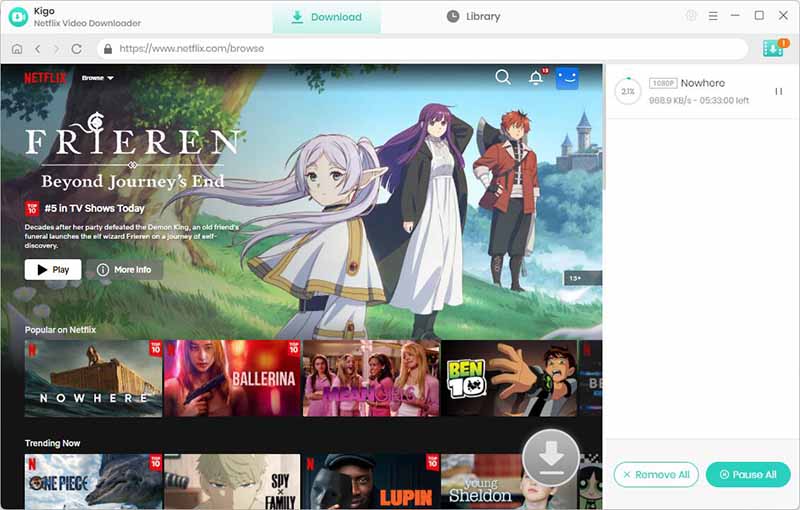
Kigo Netflix Downloader is a professional-grade tool tailored for downloading movies and TV shows from Netflix. It features support for MP4 and MKV, and provides options for selecting video quality, audio tracks, and subtitles based on user preferences. The software is designed to ensure seamless playback of downloaded content without an internet connection, making it ideal for offline watching.
| OS | Windows/Mac |
| Supported Websites | Netflix |
| Max Quality | Up to Full HD quality |
| Audio Quality | Preserves EAC3 5.1 surround sound, Dolby Atmos |
| Download Format | MP4, MKV |
| Download Speed | Supports hardware acceleration |
| Price | Paid license |
| Customer Service | Online email support |
| Download Success Rate | Highly stable and reliable |
| Batch Download | Yes (Supports downloading full seasons with one click) |
| Average Download Time | 1-hour episode takes around 10 minutes with acceleration enabled |
| Trial | Free trial available (Restricted to downloading the first 5 minutes of each video) |
| Pros 👍 |
✅ Save videos in standard MP4 and MKV formats, compatible with all playback devices ✅ Remove Netflix ads even for "Standard with Ads" subscription plans ✅ Flexibly save 3 types of subtitles: Internal, External (SRT/VTT), and Hardcoded subtitles |
| Cons 👎 |
❌ Dedicated single-platform downloader; cannot download from other platforms ❌ Free trial version comes with strict video duration limits ❌ Requires a valid personal Netflix account login for identity verification |
#11) CleverGet Netflix Downloader
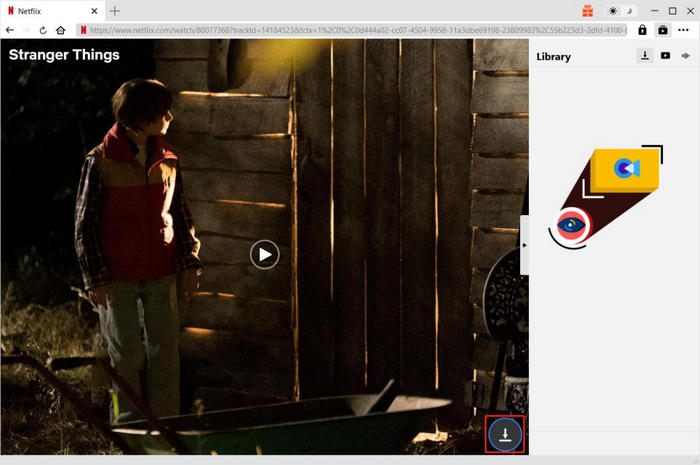
CleverGet Netflix Downloader is an efficient software application focused on enabling users to download movies, TV shows, and documentaries from Netflix. It boasts fast download speeds and supports the preservation of audio tracks and subtitles. Users have the flexibility to choose their desired video quality, enhancing the offline viewing experience across different devices.
| OS | Windows/macOS |
| Supported Websites | Netflix |
| Max Quality | Up to 1080p Full HD quality for Netflix |
| Audio Quality | Preserves EAC3 5.1, Dolby Atmos, and AAC 2.0 audio tracks |
| Download Format | MP4, MKV |
| Download Speed | Supports GPU hardware acceleration, offering up to 5x faster download speed |
| Price | Paid license (1-Year Plan at ~$59.95, Lifetime Plan at ~$99.95 for a single module) |
| Customer Service | 24/7 email support and contact forms via the official website |
| Download Success Rate | High success rate (Features an alternative "Record Mode" if direct downloading fails) |
| Batch Download | Yes (Supports downloading full seasons, movie series, and managing playlists) |
| Average Download Time | Takes about 20 minutes to parse and save a full-length 2-hour movie |
| Trial | Free trial available (Strictly limited to downloading 3 videos in total) |
| Pros 👍 |
✅ Download Netflix movies and TV shows in stable 720p/1080p resolution ✅ Dual-mode capabilities: Supports both direct video parsing/downloading and video screen recording ✅ Automatically preserves rich media metadata (including titles, cast, summaries, and cover art) ✅ Flexible subtitle management: Save as separate external SRT/SUP files or remux them directly into the video ✅ Built-in browser makes it easy to log in, search, and download directly without copying URLs |
| Cons 👎 |
❌ Video analyzing and initial link loading can sometimes take up to 1-2 minutes before downloading starts ❌ Does not display real-time numeric download speeds in the interface ❌ Upgrading to the All-In-One suite is significantly more expensive compared to single-platform downloaders ❌ Heavy on RAM and system resources when analyzing high-bitrate streaming video content |
FAQs about Netflix Video Downloaders
Is it legal to download Netflix videos?
Downloading Netflix videos for personal offline viewing is generally acceptable if you already have a valid Netflix subscription. However, distributing or selling downloaded content may violate copyright laws.
What is the best Netflix downloader?
Based on our tests, FlixiCam Netflix Video Downloader is the best Netflix downloader in 2026 due to its 1080p video quality, fast download speed, and stable performance. In addition, you can expect a customer support response within 24 hours, ensuring that any issues or questions you have are resolved quickly and efficiently.
Can you download Netflix videos permanently?
Yes. Third-party downloaders can save Netflix videos as local files, which means they will not expire like the official Netflix downloads.
How to download videos from Netflix on Mac?
Netflix does not currently offer a dedicated Mac application for offline viewing. As a result, Mac users who want to watch Netflix content offline need to rely on third-party downloaders such as FlixiCam. This tool allows you to download Netflix videos in MP4 or MKV format, making them playable on virtually any device, including MacBook, Windows PC, and mobile devices.
Is there a Netflix Downloader on GitHub?
Some open-source projects claim to provide Netflix downloading features on GitHub. However, most of them are outdated, unstable, or unable to bypass DRM restrictions due to Netflix encryption updates.
Conclusion
Now that you’ve explored the best Netflix video downloaders for laptop and Mac, you can choose the one that fits your needs. If you want a simple and efficient way to download videos from Netflix, FlixiCam Netflix Video Downloader is a great option. It allows you to download Netflix movies and shows through a built-in browser and save them locally for flexible offline viewing anytime.
Ashley Wood | Senior Writer