Top 9 Amazon Prime Video Downloaders: Download Amazon Video in MP4
 Ashley Wood
- 10 September, 2026
- Blog
Tired of Prime Video deleting your downloads, locking them only to phones, or having them gone after a few short days? Whether you need an Amazon Video downloader for product demos, want to download Amazon Prime Video Originals for offline trips, or just want a reliable tool to download Amazon Video as MP4, this guide has you covered!
- #1.👍Most Recommended - Flixicam StreamOne: Best Amazon Video Downloader
- #2. SameMovie Amazon Video Downloader
- #3. VidiCable Amazon Video Downloader
- #4. StreamFab Amazon Video Downloader
- #5. TunePat Amazon Video Downloader
- #6. Amazon Video Downloader Chrome Extension
- #7. AmazonVideoDownloader.net
- #8. TuneBoto Amazon Video Downloader
- #9. Free Amazon Prime Downloader
- Comparison: Which Is the Best Amazon Video Downloaders
- FAQs about Amazon Video Downloaders
Below are 9 tools to download Amazon Prime video in MP4, with detailed steps to get you started immediately. We've included free options for basic needs and premium picks. Continue reading for details!
#1.👍Flixicam StreamOne - Best Amazon Video Downloader
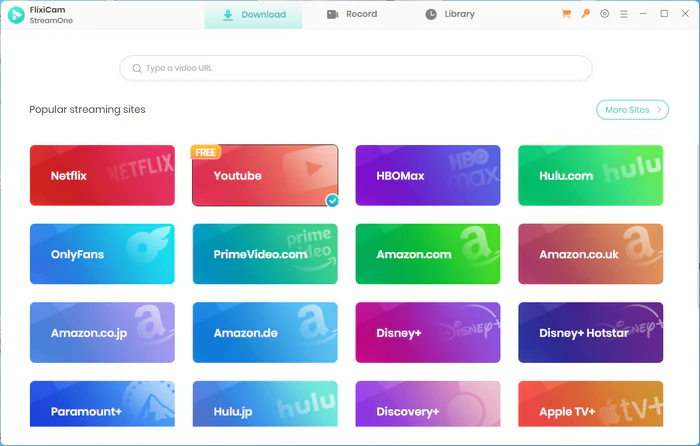
FlixiCam StreamOne is a powerful all-in-one video tool that lets you download Amazon Prime Originals, movies, and series in MP4/MKV format, supporting 1080p HD quality with 10x fast download speed. FlixiCam preserves multilingual audio (including Dolby Atmos) and flexible subtitles, enables permanent offline access without expiration, and works with Windows and macOS.
Why Choose FlixiCam StreamOne Video Downloader?
| Best for | Amazon Prime members who want permanent access to Amazon Prime Video Originals, movies, and entire TV series, with high-quality output and the flexibility to watch on any device. |
|---|---|
| Support 1000+ Sites | |
| Permanent Access | Watch downloaded Amazon Video offline even after your Prime subscription expires |
| Cross-Device Transfer | Save Amazon movies in compatible MP4 format, easy to transfer to smartphones, tablets, TVs, or car entertainment systems |
| Subtitles | Keeps original subtitles and audio tracks, enjoy shows without language barriers |
| 10x Speed Download | Batch download the entire series up to 10x speed in 1080P HD quality |
| Recommendation | ★★★★★ |
Compatibility: Windows 10/11, macOS 11 and above.
 Download Win
 Download Mac
How to Use FlixiCam StreamOne to Download Prime Videos?
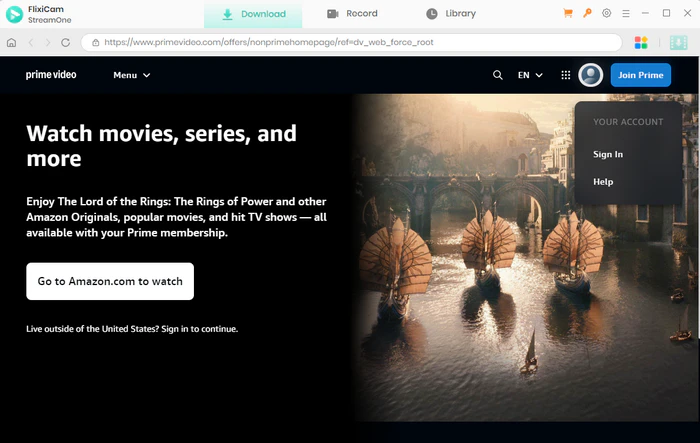
- Install FlixiCam StreamOne on your computer. And select Amazon Prime Video.
- Log into your Amazon Prime account using FlixiCam's built-in Prime browser.
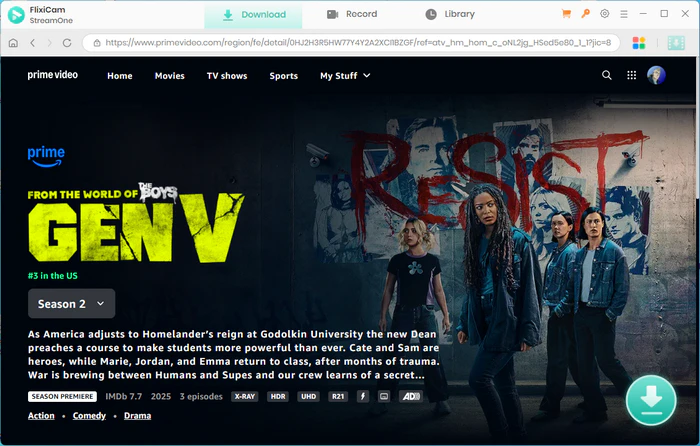
- Search for the Amazon Prime videos you want to download.
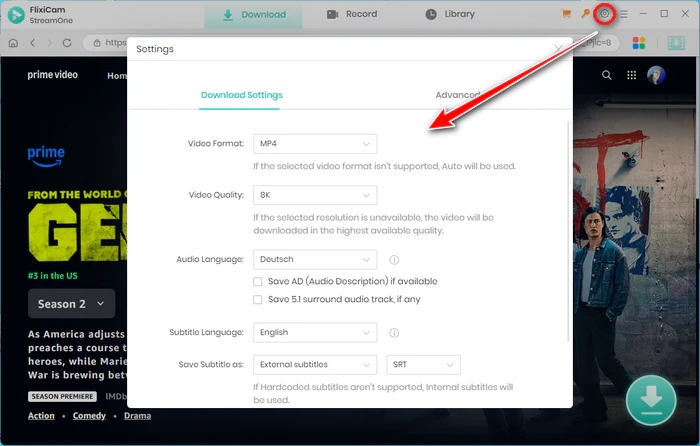
- Personalize your settings, including format, subtitles, and video quality.
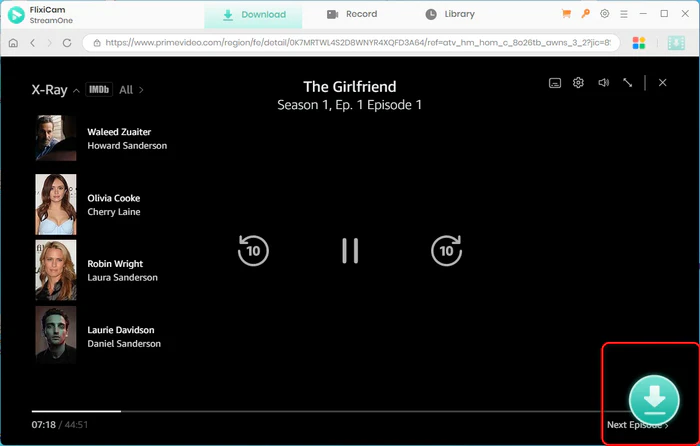
- Click the download button to save the videos to your computer. The videos will be saved locally in your chosen format.
#2. SameMovie Amazon Video Downloader
SameMovie Amazon Video Downloader is a desktop tool for Windows and Mac. It specializes in preserving high-quality audio and video, including 5.1 surround sound and 1080p resolution. With a built-in browser and support for MP4/MKV formats, it's a reliable choice for users who prioritize media quality.
| Best for | Users who want to save Amazon Originals, movies, and TV series in 1080p MP4/MKV format, with preserved 5.1 surround sound and multilingual subtitle options. |
|---|---|
| Pros | |
| Cons | |
| Recommendation | ★★★★☆ |
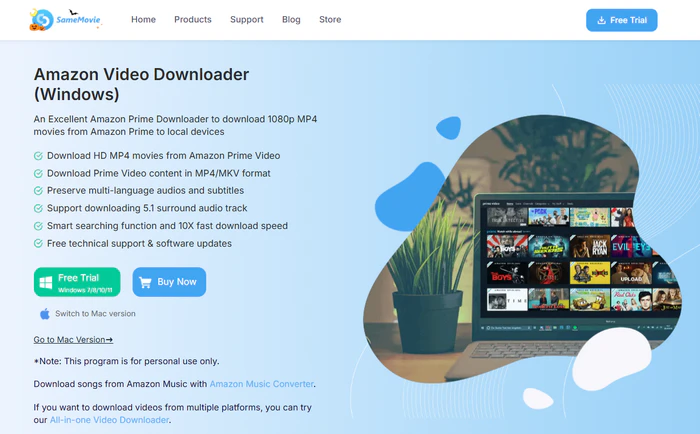
How to Use SameMovie to Download Amazon Prime Video?
- Launch SameMovie, sign in via the Profile icon (you'll be prompted to log into Prime Video).
- Click the top-right "Gear" icon to adjust output settings (path, quality, format, audio/subtitle language).
- Find videos by searching with titles/keywords or browsing "Movies", "TV shows", "Categories" tabs.
- Click "Download", select seasons/episodes, then use the bottom-left "Advanced Download" to customize quality, subtitles, audio.
- Hit "Download" to start. You can use your computer freely or add more videos to the queue during downloading.
#3. VidiCable Amazon Video Downloader
VidiCable is a versatile desktop downloader that supports Amazon Prime Video and over 1000 other streaming sites (Netflix, Disney+, YouTube, TikTok). It offers 1080p resolution, Dolby Atmos sound, and MP4/MKV output, making it a all-in-one solution for streaming video lovers.
| Best for | Users who want to download Amazon Video from other streaming platforms, with high-quality audio (Dolby Atmos) and flexible format options. |
|---|---|
| Pros | |
| Cons | |
| Recommendation | ★★★★☆ |
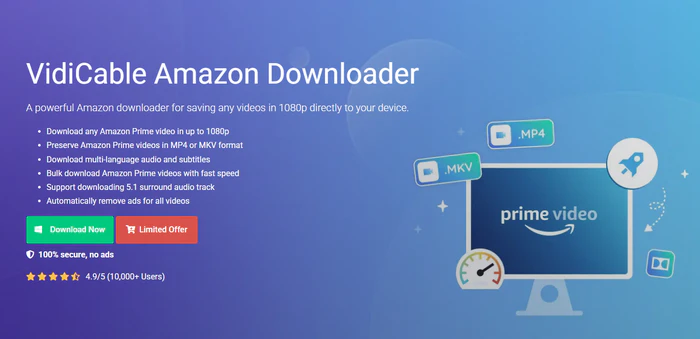
How to Use Vidicable to Download Amazon Prime Video?
- Open VidiCable, select "Amazon", and log into your Amazon account to access Prime library.
- Click the gear icon to set video format (MP4/MKV), output folder, language, subtitles, and video codec (H.264/H.265).
- Find your desired video via the built-in browser or search bar.
- Use the advanced download button to choose resolution, audio track, and subtitle details.
- Click "Download". Once complete, the video saves to your selected folder for offline viewing or transfer.
#4. TunePat Amazon Video Downloader
TunePat Amazon Video Downloader is a user-friendly desktop tool for Windows and Mac. It supports downloading Amazon Prime Video in 1080p HD quality, with MP4/MKV output formats and support for multilingual subtitles and audio tracks. It also offers fast download speeds and batch processing.
| Best for | Casual and power users alike who want a straightforward tool to download Amazon Prime video for permanent offline access. |
|---|---|
| Pros | |
| Cons | |
| Recommendation | ★★★★☆ |
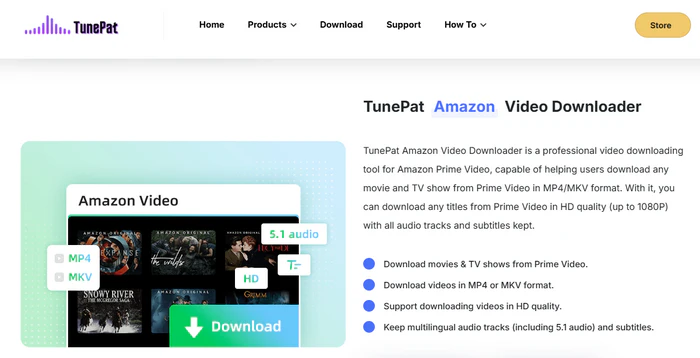
How to Use TunePat to Download Amazon Prime Video?
- Download and install TunePat Amazon Video Downloader on your computer.
- Open the software and log into your Amazon Prime account.
- Search for the desired video by title or URL.
- Adjust output settings (format, quality, subtitles, audio) in the settings menu.
- Select the episodes or full content to download and click the "Download" button.
#5. StreamFab Amazon Video Downloader
StreamFab Amazon Downloader is a powerful desktop tool compatible with Windows and Mac. It enables downloading Amazon Prime Video Originals, movies, and TV series in up to 1080p HD quality, with support for MP4/MKV formats and multilingual subtitles/audio tracks.
| Best for | Users seeking a robust desktop solution to download Amazon Prime video, with high compatibility and advanced customization options. |
|---|---|
| Pros | |
| Cons | |
| Recommendation | ★★★★☆ |
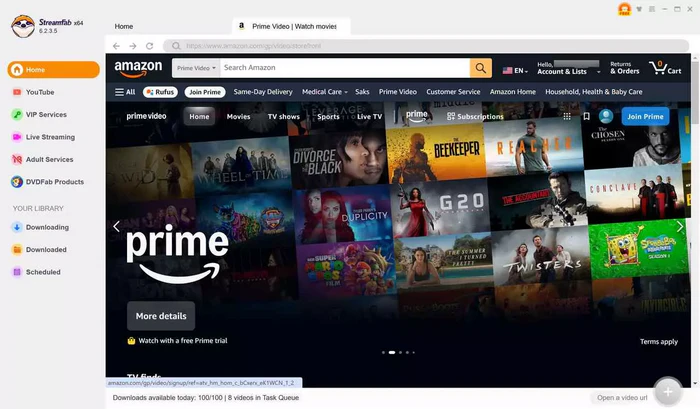
How to Use StreamFab to Download Amazon Prime Video?
- Install StreamFab Amazon Downloader on your Windows or Mac computer.
- Launch the software and select the "Amazon" streaming platform from the list.
- Log into your Amazon Prime account using the built-in browser.
- Search for the video content you want to download (Originals, movies, or series).
- Customize output settings as needed and click the "Download".
#6. Amazon Video Downloader Chrome Extension
Amazon Video Downloader Chrome Extension is a browser-based tool designed for integration with Amazon pages. It caters specifically to e-commerce sellers and researchers who need quick access to product demos and variant clips.
| Best for | E-commerce sellers, product researchers, and users who frequently download Amazon product demos, variant clips, or short Prime Video directly from Amazon pages. |
|---|---|
| Pros | |
| Cons | |
| Recommendation | ★★★☆☆ |
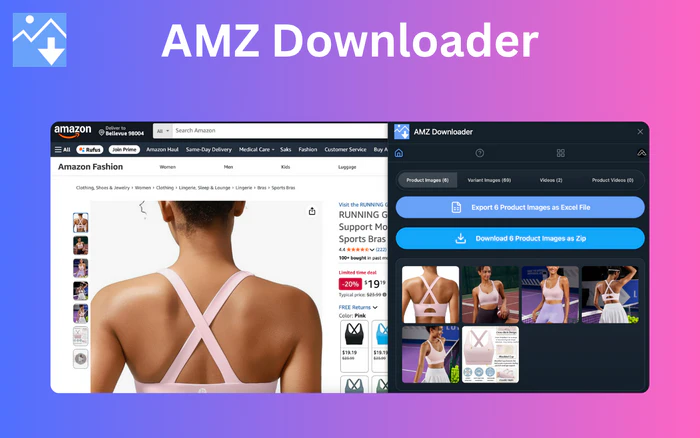
How to Use Chrome Extension to Download Amazon Prime Video?
- Add the extension from the Chrome Web Store (search "Amazon Video Downloader").
- Go to any Amazon Prime Video or product page.
- Click the extension icon (puzzle piece in Chrome's top-right corner).
- The tool will auto-detect all videos on the page. Click "Download" below the Amazon Video you want.
- You'll be redirected to a verification page, then click "Download Video" to save the MP4 file.
#7. AmazonVideoDownloader.net
AmazonVideoDownloader.net is a Chrome extension focused on bulk downloading Amazon product media. It supports over 20 global Amazon domains, making it a top choice for international sellers and researchers. The tool auto-organizes downloaded files into ZIP folders, simplifying file management for multiple videos or variants.
| Best for | International e-commerce sellers, product researchers, and users needing to bulk download Amazon product videos, images, or variant-specific media from global Amazon domains. |
|---|---|
| Pros | |
| Cons | |
| Recommendation | ★★★★☆ |
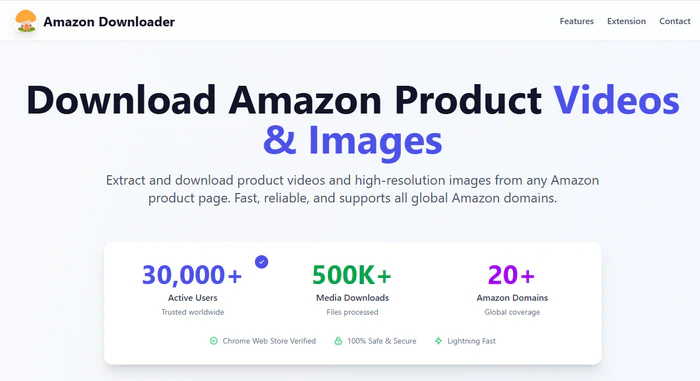
How to Use AmazonVideoDownloader.net to Download Amazon Prime Video?
- Install the extension from the Chrome Web Store (search "AmazonVideoDownloader.net").
- Go to an Amazon product page with multiple videos.
- Click the extension icon, and you'll see "Download All Videos" or "Download Current Variant Videos".
- For bulk downloads: Click "Download All Videos" to compress all Amazon videos into a ZIP file.
- For specific variants: Select the product variant and click "Download Current Variant Videos".
- Save the ZIP file to your device, then extract the MP4 videos for use.
#8. TuneBoto Amazon Video Downloader
TuneBoto Amazon Video Downloader is an easy-to-use desktop tool designed for Windows and Mac. It allows users to download Amazon Prime Video movies, TV shows, and Originals in up to 1080p HD quality, with support for MP4/MKV output formats, multiple audio tracks, and multilingual subtitles.
With its built-in search and video recognition feature, TuneBoto makes it simple to find and download Amazon videos by entering keywords or pasting video URLs. It also offers fast download speeds, high compatibility, and no limits on the number of downloads, allowing users to save their favorite Amazon Prime videos for offline viewing anytime.
| Best for | Amazon Prime Video users who want a simple desktop solution to download movies, TV shows, and Originals in HD quality with subtitles and multiple audio tracks preserved. |
|---|---|
| Pros |
|
| Cons |
|
| Recommendation | ★★★★☆ |
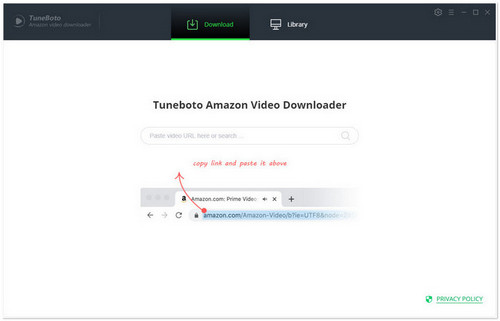
How to Use TuneBoto Amazon Video Downloader to Download Amazon Prime Video?
- Sign in with your Amazon account to browse available Prime Video content.
- Before downloading, open the settings panel to customize your preferences, including output format (MP4/MKV), save location, subtitle language, audio tracks, and codec options (H.264/H.265).
- Search for the movie or TV show you want to save using the built-in browser or the integrated search feature.
- Click the download option next to the video and adjust the available settings, such as video quality, audio language, and subtitle selection.
- Start the download process and wait for VidiCable to save the video files to your chosen destination.
#9. Free Amazon Prime Downloader
With this application, you can download any Amazon Prime video to your Windows PCs and watch them offline on any device without spending internet traffic. The downloading process is quite simple. You need to paste the video's URL copied from the Amazon web player by clicking one button and choose the quality of downloading videos. All the downloads will be stored in MP4 format. But don't be misled by its name, Free Amazon Prime Downloader is not a free program. It just offers a free trial version that enables you to download Amazon videos in lower quality at a slower speed. Of course, it is not expensive. Simply pay $14.99, you can get a yearly license to unlock the trial limits.
| Best for | Users looking for a video downloader to save videos from Amazon Prime with HD quality, multiple audio tracks, and subtitles preserved. |
|---|---|
| Pros |
|
| Cons |
|
| Recommendation | ★★★☆☆ |
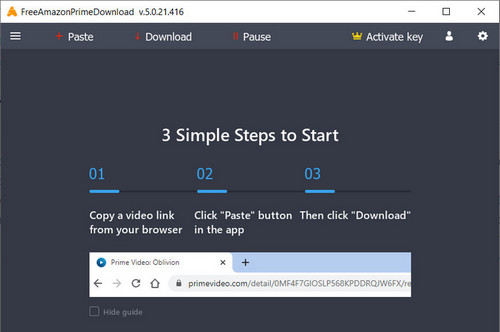
How to Use Free Amazon Prime Downloader to Download Amazon Prime Video?
- Open Free Amazon Prime Downloader and prepare the Amazon Prime Video you want to save. Copy the video URL from the Amazon Prime Video website.
- Paste the copied Amazon Prime Video link into the downloader's input box. The program will analyze the URL and load the available download options.
- Customize your download preferences, including video quality, output format, and subtitle language based on your needs.
- Choose the desired settings and click the download button to start processing the Amazon Prime Video.
- Wait for the download process to complete. Once finished, the video will be saved to your selected folder for offline playback.
💡💡💡Comparison : Amazon Video Downloaders
| Tool Name | 1080p Resolution | Output Format | Metadata Preservation | Batch download | Download Speed | Price |
|---|---|---|---|---|---|---|
| 👍 Flixicam StreamOne | ✔️ | MP4, MKV | ✔️ | ✔️ | 10x | $149.90/Lifetime |
| SameMovie Amazon Video Downloader | ✔️ | MP4, MKV | ✔️ | ✔️ | fast | $79.90/Lifetime |
| VidiCable Amazon Video Downloader | ✔️ | MP4, MKV | ✔️ | ✔️ | fast | $149.90/Lifetime |
| TunePat Amazon Video Downloader | ✔️ | MP4, MKV | ✔️ | ✔️ | fast | $79.90/Lifetime |
| StreamFab Amazon Video Downloader | ✔️ | MP4, MKV | ✔️ | ✔️ | fast | $159.99/Lifetime |
| Amazon Video Downloader Chrome Extension | ❌ | MP4 | ❌ | ❌ | slow | free |
| AmazonVideoDownloader.net | ❌ | MP4 | ❌ | ✔️ | slow | free |
| TuneBoto Amazon Video Downloader | ✔️ | MP4, MKV | ✔️ | ✔️ | fast | $79.90/Lifetime |
| Free Amazon Prime Downloader | ✔️ | MP4, MKV | ❌ | ✔️ | slow | $14.99/month |
FAQs about Amazon Video Downloaders
Is it legal to use an Amazon Video downloader to download Amazon Prime Video?
Yes, as long as you download Amazon Video for personal use only and don't distribute, share, or monetize the downloaded MP4 files. Amazon's Terms of Service allow offline viewing for Prime members.
Why can't I download Amazon Prime Video Originals with free online tools?
Free online Amazon Video downloaders are designed for public Amazon content (e.g., product demos, free Prime clips) rather than premium Originals. Premium Originals are protected, which requires a desktop Amazon Video downloader like Flixicam StreamOne to download as MP4.
Can I transfer downloaded Amazon Video (MP4) to other devices?
Absolutely. Most desktop Amazon Video downloaders including Flixicam StreamOne save MP4 files without device locks. You can transfer them to phones, tablets, flash drives, or smart TVs for offline viewing anytime.
How long do downloaded Amazon Prime Video files last?
With official Prime Video downloads, files expire after 48 hours once you start watching (or 30 days if unwatched). But with a premium Amazon Video downloader like Flixicam StreamOne, downloads are permanent. You keep the MP4 files even if you cancel your Prime subscription.
Are there any free Amazon Video downloaders that can download Premium Prime Originals?
No, there are no free Amazon Video downloaders capable of downloading Premium Prime Originals. Premium content is protected, and only paid desktop tools like Flixicam can access and save such content.
Final Thoughts
If you only need to download a quick product video or free Amazon Video clip, free online tools work perfectly for basic MP4 downloads.
But if you're consider downloading Amazon Prime Video Originals, movies, or entire series for permanent offline access, Flixicam StreamOne is the top choice. Its 1080p MP4 output, 10x download speed, and multilingual subtitle support make it the most reliable and feature-packed Amazon Video downloader on the list. You can keep your favorite Amazon Prime videos forever even if you cancel Prime.

The Best Tool to Convert Amazon Music
Want to enjoy your Amazon Music for offline playback? TuneMobie Music Converter is definitely worth a try. This tool can convert music from 17+ platforms (Spotify, Apple Music, Amazon Music, YouTube Music, etc.) to universal formats (MP3, M4A, FLAC, etc.) with original sound quality and complete ID3 tags kept. Learn More >>
📢 Disclaimer
All tutorials here are for personal entertainment & education only. Please ensure you have a valid legal account on the relevant platforms. We do not support commercial distribution or piracy — always respect content creators' copyrights.
Ashley Wood | Senior Writer