 DOWNLOAD Win
 DOWNLOAD Mac
Best 10 Crunchyroll Downloaders to Watch Crunchyroll Videos Offline in 2026
 Ashley Wood
- 20 September, 2026
- Blog
Crunchyroll has the largest library of dubbed anime with multi-language subtitles, making it the popular platform for global anime fans. However, Crunchyroll is limited on download features. The downloaded videos expire within 48h after playback or 7 days after download, which is inconvenient for users who want to watch offline or during flights.
This guide will introduce 10 of the best Crunchyroll downloaders, providing more flexible options to download Crunchyroll episodes and watch them offline.

Best 10 Crunchyroll Downloaders to Download Crunchyroll
1. FlixiCam Crunchyroll Downloader
Ratings: 
FlixiCam Crunchyroll Downloader is the best and most reliable choice for users who want to have offline and permanent access to Crunchyroll videos. With 5 simple steps, FlixiCam can download full Crunchyroll episodes to your Windows or Mac.
With FlixiCam, the downloaded Crunchyroll videos are locally saved in your computer that would never expire, so that you can watch them offline or even when you are unsubscribed. Users can have downloaded videos files locally for personal backup of their favorite Crunchyroll shows.
Unlike recording, FlixiCam Crunchyroll Downloader actually download Crunchyroll videos in HD 1080P or higher resolution. FlixiCam batch download anime from Crunchyroll into MP4/MKV format, most compatible format for easily putting into a video editing software or transferring across different devices, such as tablets, smartphones, and TVs.
✅ Pros
- Download Crunchyroll videos to local PC for complete offline watching
- The downloaded videos never expire. Keep Crunchyroll anime as MP4 files forever
- Batch download Crunchyroll anime in HD 1080P without ads or compression
- Personalize and download subtitles and audio tracks in multiple languages
- FlixiCam also supports downloading from over 1000 sites, including Netflix, Amazon Prime, OnlyFans, Max, Apple TV, etc
🔴 Cons
- FlixiCam is a desktop software, not available as a browser extension
Download It Now:
How to Download Crunchyroll Videos as Local MP4/MKV Files?
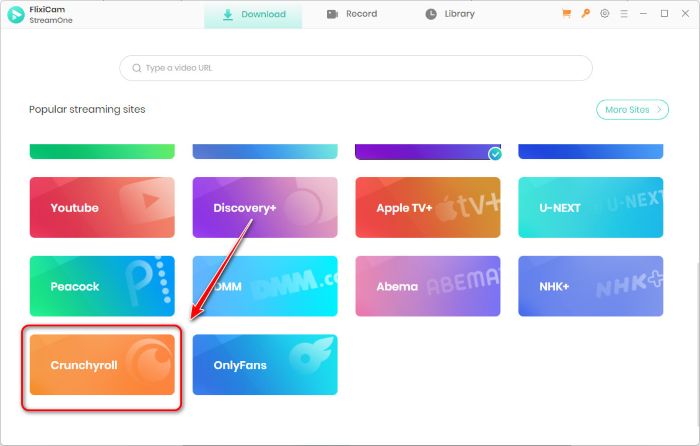
Step 1 Open FlixiCam Crunchyroll Downloader on your PC
Open FlixiCam on Windows or Mac. Enter main interface and select Crunchyroll as the download platform.
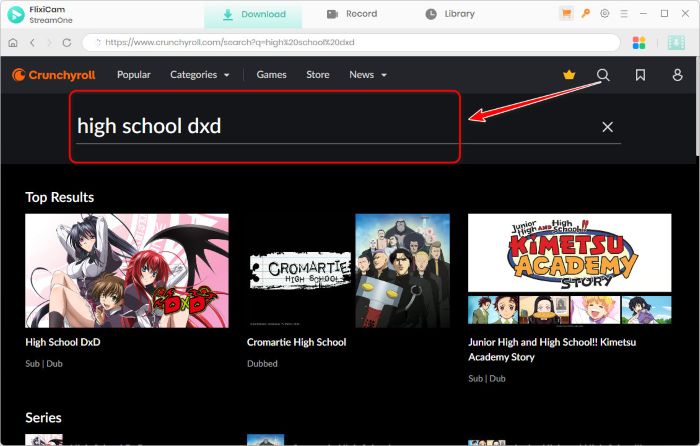
Step 2 Search the anime you want to download from Crunchyroll
Flixicam has built-in browser for Crunchyroll where you can direct search or find the Crunchyroll content within the software. No need openning other apps or browsers.
Step 3 Personalize the output settings
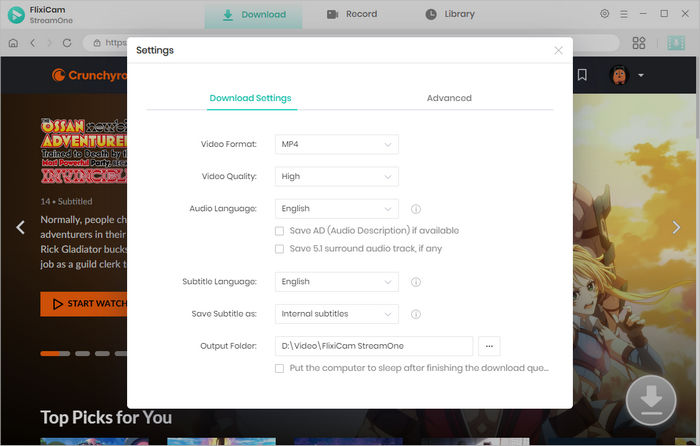
Click setting icon to customize the output Crunchyroll videos:
- Video Format: MP4 / MKV
- Video Codec: H.264 / H.265
- Video Quality: 480P / 540P / 720P / 1080P / 2K / 4K / 8K / Best
- Save Subtitle as: Internal Subtitles / External Subtitles / Hardcode Subtitles
- Subtitle Language: English, Japanese, Deutsch, Español (América Latina), Español (España), Français, Italiano, Português, etc.
- Audio Language: Japanese, English, Deutsch, Español (América Latina), Español (España), Français, Italiano, Português, etc.
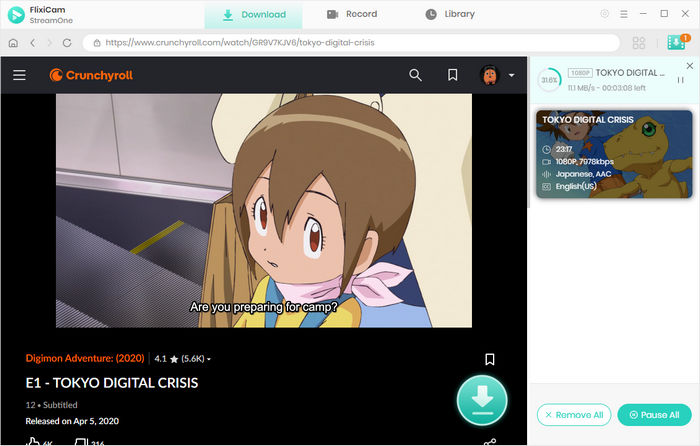
Step 4 Click the download button
Open any anime episodes you want to save. Then click the download button to further select which season you want to download. Here you can make batch downloading.
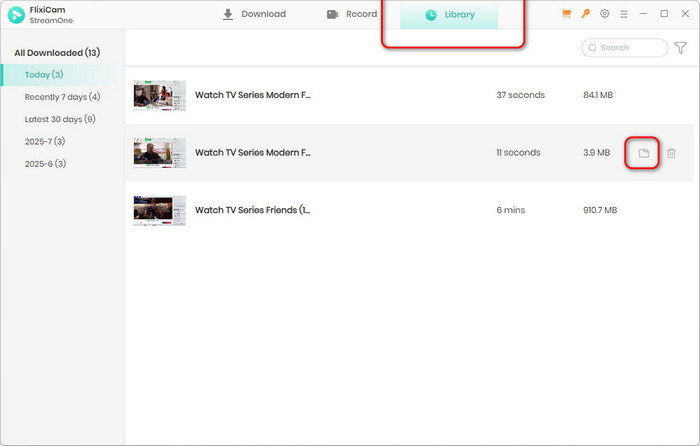
Step 5 Locate the downloaded files
Finish downloading, click Library to locate the downloaded Crunchyroll anime which are locally saved in your computer as 1080P MP4 videos for offline and permanent access.
2. Video DownloadHelper
Ratings:
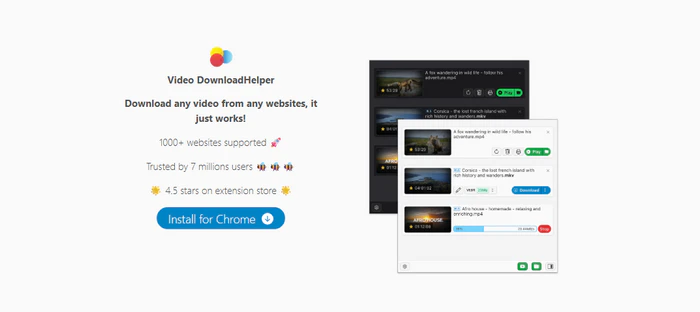
Video DownloadHelper is chrome extesnions, instead of a software. Video DownloadHelperworks an extension that can detect videos playing in the computer to download. It support download videos from Crunhcyroll and other vasiouus website, live stream, UHD. Video DownloadHelper can download shows or videos to MP4/WEBM format in 1080P. Also it can extract MP4 videos as MP3 files.
To download Crunchyroll anime with Video DownloadHelper, first install it as browser extension in your Chrome. Once added, open a crunchyroll video that is playable in Chrome. Then, Click on the Video DownloadHelper icon and the it will automatically detect the active video and offer you with download options where you can save the video to MP4/WEBM/MP3 format.
✅ Pros
- Easy to use. Works as browser extension
- Download videos from various websites and streaming platforms
❌ Cons
- Downloading videos with Free version include large water mark
- Requires the Video DownloadHelper Companion App to work, which some consider adware
- No batch download supported, making the download process slow and ineffective
3. FetchV
Ratings:
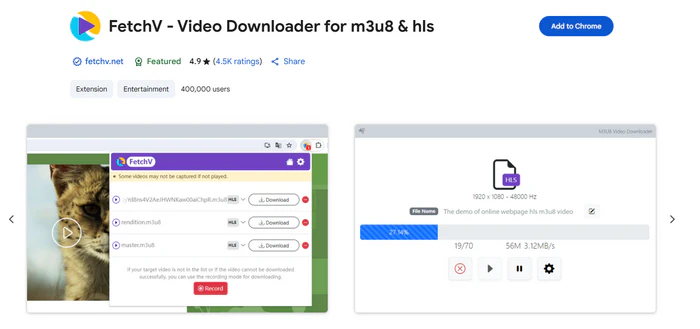
FetchV is video download extension for browser, compatible with Chrome, Edge and others. FetchV can download online Crunchyroll videos to various format, such as MP4, WEBM, and MP3. FetchV has recording feature that allows users to record the specific videos that cannot be downloaded.
After installing the FetchV in your chrome, you can open a Crunchyroll video in the browser and start playback. Then click the FetchV icon to download the currently playing video..
✅ Pros
- Support download and convert videos to various format, like MP4, WebM, FLV, and HLS (m3u8)
- Multi-threading makes it efficient for large file downloads
❌ Cons
- Encrypted videos are unsupported to download
4. Crunchyroll online-downloader
Ratings:
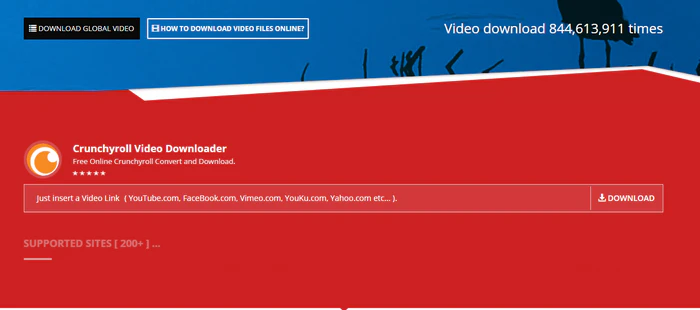
Crunchyroll online-downloader is a online free Crunchyroll downloader, offering users an easy way to download videos from Crunchyroll and other 200 sites, including Facebook, YouTube, Vimeo, Yahoo, etc. It will convert the video to MP4 or MP3 files. Please be advised that the use of this tool may violate the terms of service of the respective platforms.
To download videos from Crunchyroll, you need to copy a video URL and put in to Crunchyroll online-downloader. The processing and download may take several minutes to complete.
✅ Pros
- Free and user-friendly
- Converts Crunchyroll videos to MP4 or MP3 format
❌ Cons
- Fail to download many times
- Unstable converting process with unsafe redirect links
- Low output video quality
- No batch download supported
5. Allavsoft
Ratings:
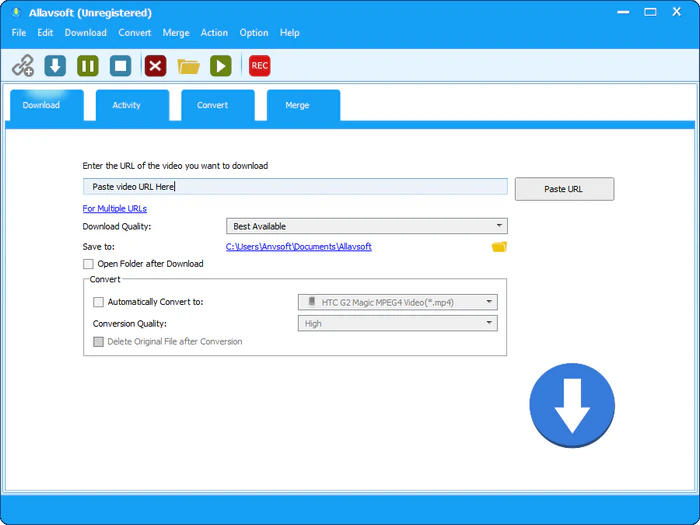
Allavsoft is a desktop downloader that allows user to download both from music and videos sites, including Crunchyroll, YouTube, Spotify, Soundcloud, etc. Allavsoft not only supports downloading and converting video files to various video format like MP4, AVI, WMV, MOV, MPEG-1, MPEG-2, etc, but also support extracting video to popular audio formats like MP3, WMA, WAV, AAC, AAC, etc.
To download Crunchyroll episodes using Allavsoft, you need to copy and paste the video link into Allavsoft. Don't forget to choose the download quality and convert format. Then you can click the download button to start and finish the process.
✅ Pros
- Support various popular output format
- Multimedia downloader that support download videos and music
❌ Cons
- Limited free trial. Paid to use
- Frequently download failure
- Login prompts or purchase prompts during use.
- Limited video editing features
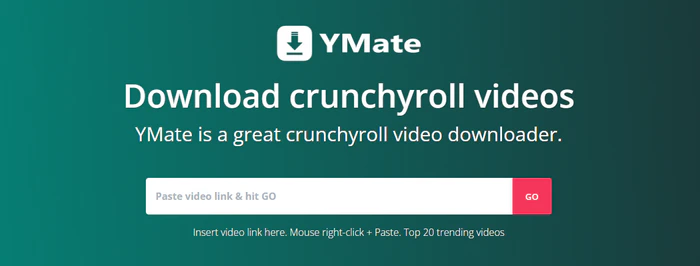
6. YMate Crunchyroll Downloader
Ratings:
Ymate is an online free Crunchyroll downloader which allows users to download online videos to MP4/MP3 format. It supports downloading videos from online sites, YouTube, Facebook, Twitter, Instagram and others.Ymate is available as a web-based service online and as a desktop application.
We strongly advocate for respecting copyright and the terms of service of all content platforms. Please ensure your use of free online downloaders complies with these legal agreements.
✅ Pros
- Free to download Crunchyroll anime
- Easy to download online videos
❌ Cons
- Extremely slow download process with long-time loading
- Frequent ads and redirect links
- Low output video quality and no personalized setting
- No batch download supported
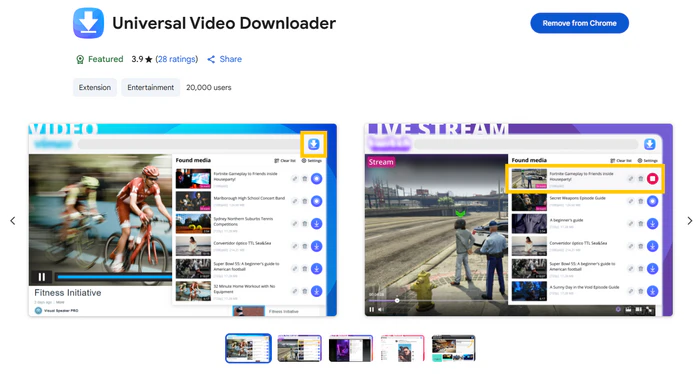
7. Universal Video Downloader
Ratings:
Universal Video Downloader works as chrome extension to download videos from many streaming sites and platforms, including Crunchyroll, TikTok, Instagram, Facebook, Vimeo, Twitch. To be attention, it does not support download videos from YouTube due to platform policy restrictions. It supports one-click downloading videos to various format: MP4/WEBM/FLC/SWF.
To use Universal Video Downloader, you need to add it as chrome extension first. Then open the Crunchyroll website and play anime. If there is video playable and downloadable, the icon would turn blue. You can click the blue icon to further select the output video format. Once finished, click the download button to start the process.
✅ Pros
- Free to download Crunchyroll episodes online
❌ Cons
- Only download video segments instead of the full content
- Not all videos are supported for download
- Only one video can be downloaded at a time, difficult for multiple downloads.
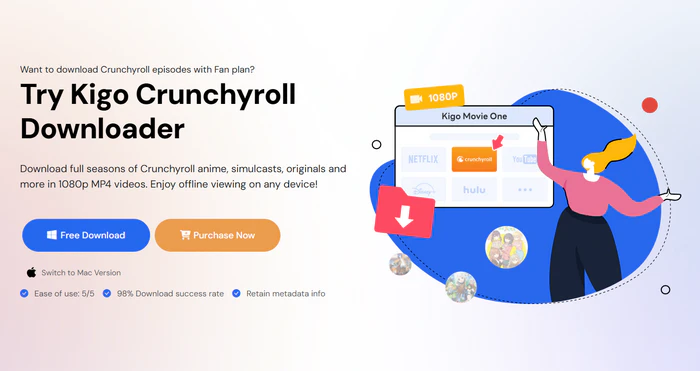
8. Kigosoft Crunchyroll Downloader
Ratings:
Kigosoft is also a powerful downloader that allows users to download video from several streaming platforms like Crunchyroll. It supports downloading videos with subtitles in multiple languages and offers options to choose video quality and format, typically MP4 or MKV, with resolution up to 1080p.
Kigosoft is only available for PC. You need to download Kigosoft Crunchyroll Downloader on Windows and Mac. And customize the output format and video quality. Then open the anime, click the download button on the page. When the download is complete, go to the Library tab to view your downloads.
✅ Pros
- Download videos to MP4 and MKV format
- Support batch downloading to convert multiple anime at once
❌ Cons
- Paid to use. 5 minutes free trail only
- iOS and Android are not available to use Kigosoft.
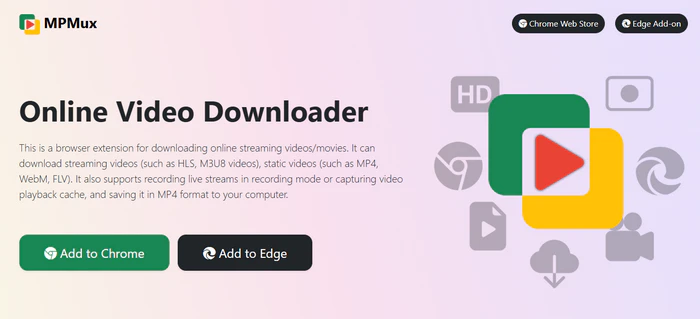
9. MPMux Video Downloader
Ratings:
MPMux Video Downloader is a browser extension that enables users to download from streaming sites and online videos. It supports downloading videos to MP4, WebM, FLV, and HLS live streams. It also offers recording feature to capture the videos that are not allow to downloaded directly. With MPMux Video Downloader, you can download Crunchyroll anime episodes to MP4 files locally saved in your device.
✅ Pros
- Merge video fragments into a single MP4 file without additional software
- Supports live stream recording and saves them as MP4 files
- Easy to use with clear interface and great browser integration
❌ Cons
- Batch downloading is not supported
- Lagging issues in downloading some videos
10. Keepvid Crunchyroll Downloader
Ratings:
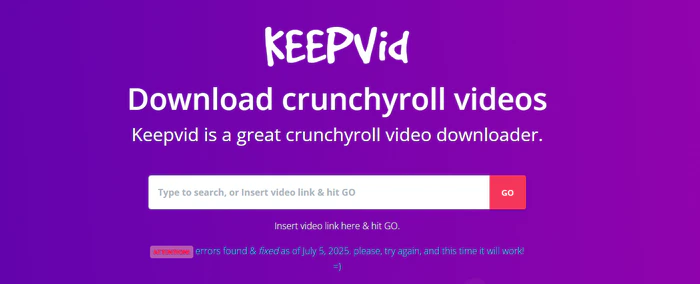
Keepvid is an online tool for download anime on Crunchyroll. To download video from Crunchyroll, copy the link of the video and then paste it into Keepvid. It automatically detects available video formats and bitrates. Keepvid supports downloading Crunchyroll videos to 480P, 720P, and 1080P.
✅ Pros
- Free online tool to download Crunchyroll content
- Easy to download with simple steps
❌ Cons
- Frequent download failure on Crunchyroll content
- Intrusive ads and redirect during the downloading process
Frequently Asked Questions about Crunchyroll Downloader
Is Crunchyroll safe?
Crunchyroll is a safe and legal platform for streaming anime, free from malware and malicious redirects. For subscribers on Mega Fan or Ultimate Fan plans, it also offers a secure and legal download feature for offline viewing.
Does Crunchyroll have ads?
Crunchyroll does have ads. The free plan includes frequent, unskippable ads that can sometimes total several minutes per episode. To remove all ads and enjoy an uninterrupted experience, you can subscribe to the premium plan starting at $7.99 per month, which also allows for offline viewing.
How to download from Crunchyroll on Mac?
Crunchyroll does not offer download feature for Mac or Windows. If you want to download episodes on the computer, you can use tools like FlixiCam Crunchyroll Downloader, which allows to batch download Crunchyroll episodes with subtitles to your local computer. The downloaded videos are locally saved for offline watching anytime anywhere.
Conclusion
While Crunchyroll has limited download options, FlixiCam Crunchyroll Downloader offers a powerful solution for users who want to download Crunchyroll anime for offline viewing anytime, anywhere whether traveling or during a flight. With FlixiCam, you can download and save your favorite Crunchyroll episodes in 1080P HD with multiple subtitle and audio tracks, making it easy to you build personal anime library.
📢 Disclaimer
All tutorials here are for personal entertainment & education only. Please ensure you have a valid legal account on the relevant platforms. We do not support commercial distribution or piracy — always respect content creators' copyrights.
Ashley Wood | Senior Writer